
User manual, introduces the functions and operations of the watch.
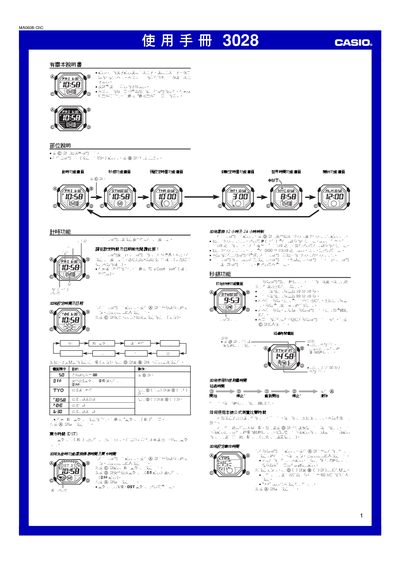
This manual explains how to operate the Casio 3028 watch, covering basic time‑setting, 12/24‑hour display selection, and city code configuration for world time. It also details the stopwatch, countdown timer, alarm functions and how to enable or disable automatic illumination.
Safety notes and lighting information are provided, including warnings about using the automatic illumination while driving or riding a motorcycle. A city code table for 48 world cities is included for easy reference. This manual is written in Chinese.
| Display type | EL (electroluminescent) panel |
|---|---|
| Hour format | 12‑hour or 24‑hour |
Enter the time‑setting mode by holding the @ button until the seconds digits flash, then use the @ and @@ buttons to change hours, minutes, year, month and day.
Turn on the automatic illumination function in the lighting settings, then rotate the watch face toward you more than 40° to activate the light.
Enter the DST setting screen by pressing the @ button, then select DST on or off using the @ and @@ buttons.
The watch supports 48 cities worldwide; see the City Code Table at the end of the manual for the full list.