
This manual introduces the use of Motorola walkie talkie, including how to install and remove antennas, batteries, belt clips, and how to charge the walkie talkie.
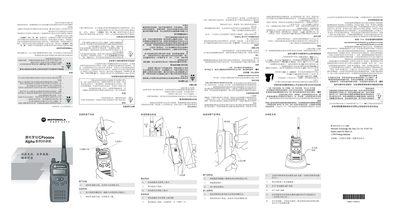
The Motorola GP2000s Alpha is a portable two‑way radio designed for reliable voice communication. It supports normal and priority scanning, DTMF voice call, and various power and volume settings.
The manual covers hardware installation (antenna, battery, belt clip), charging procedures, scanning functions, programming mode, LED indicators, key functions, and VOX operation. It also explains how to delete stray channels and restore default settings. This manual is written in Chinese.
| Battery types supported | NIMH, NICD, ALK |
|---|---|
| Scanning modes | Normal scan and priority scan |
Turn the antenna counter‑clockwise until it separates from the radio.
While the radio is on a stray channel, press the stray‑channel delete key; a loud tone confirms deletion.
Turn the radio off, then hold the monitor key while turning it back on; the RW indicator will appear.
Connect a VOX headset to the accessory port and turn the radio on; VOX works while the PTT key is not pressed.