
This document introduces the use of the Vaisala Veriteq vNet Spacer Label.
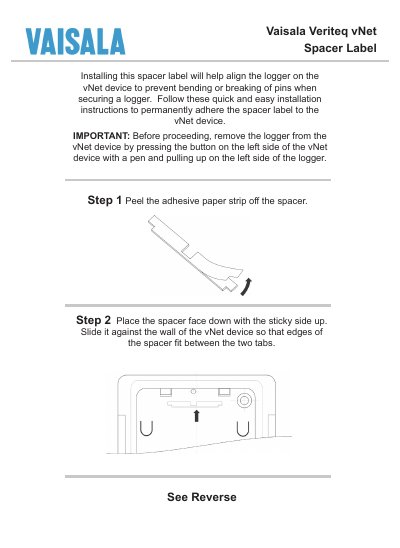
This guide explains how to install the spacer label on a Vaisala vNet device. The spacer label helps align the logger and prevents pin bending or breakage during attachment.
Follow the step‑by‑step instructions: remove the logger, peel and place the adhesive label, press it firmly, then re‑attach the logger and inspect the connector. Contact Vaisala support if any pins are misaligned.
Contact Vaisala support using the phone number or email provided in the manual.