
This is a user manual, which mainly introduces the basic functions, main function options, common functions, security settings, reference information and other contents.
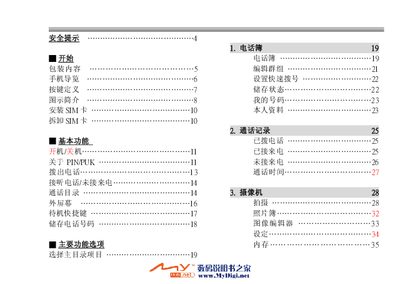
The manual begins with safety warnings for various environments such as driving, hospitals, airplanes, and fuel stations, and stresses the use of only original batteries and authorized service centers. It then guides the user through basic phone navigation, SIM‑card installation, and key functions like dialing, answering calls, and using the camera.
Further sections cover sound settings, display customization, network and GPRS configuration, automatic power‑on/off, messaging, voicemail, and a technical specifications table. A troubleshooting chapter answers common problems such as call failures, battery life concerns, and abnormal call audio. This manual is written in Chinese.
| Supported Systems | GSM 900/1800 |
|---|---|
| Frequency Range (GSM 900) | 880‑915 MHz (TX), 925‑960 MHz (RX) |
| Frequency Range (DCS 1800) | 1710‑1785 MHz (TX), 1805‑1880 MHz (RX) |
| Maximum Output Power (GSM 900) | 33 dBm (Nominal) |
| Dimensions | 68 × 53 × 21 mm |
| Weight | 80 g (approx.) |
| Operating Temperature | -10 °C to 55 °C |
Check that the phone has signal, that there is no electronic interference, and that any call‑restriction feature is disabled; also verify the SIM card is working.
Battery life varies with network conditions, charging habits, usage of functions, temperature, and other environmental factors.
The phone may not yet be connected to the network; wait until the network name appears on the screen before dialing.