
This document introduces the use of Philips Fidelio DS3880W, including connecting to the router, setting up Airplay, etc.
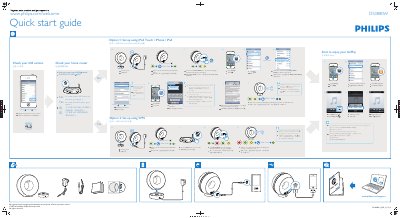
This guide provides step‑by‑step instructions for configuring the Philips DS3880W Fidelio AirPlay speaker. It explains how to check the iOS version, connect the device to a Wi‑Fi network using either an iOS device or the router’s WPS button, and verify the connection.
The document also includes troubleshooting tips such as what to do if the Wi‑Fi indicator does not turn solid green, how to reset the device, and recommended actions for router or iPhone issues. This manual is written in Chinese.
| Required iOS version | 4.3 or above |
|---|---|
| Default IP address | 192.168.1.1 |
Select Option 1, power the device, press Wi‑Fi SETUP for 5 seconds, open Settings → Wi‑Fi, select “Philips Fidelio AirPlay”, and follow the on‑screen prompts.
Press the Wi‑Fi SETUP key for 5 seconds, then repeat the setup steps from the beginning.
Yes, choose Option 2, press the router’s WPS button, then press Wi‑Fi SETUP once and wait for the green light to become solid.