
This document is a quick start guide for the Philips BDP5100, which introduces how to use the product's functions and features.
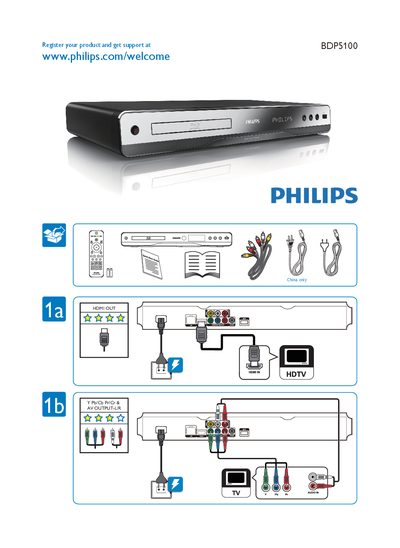
The guide starts by directing users to register their BDP5100 at the Philips website (www.philips.com/welcome) to obtain support and updates. It provides the product name and model for easy identification.
It also lists the available video and audio connections, including HDMI OUT, HDMI IN, AV output, and a USB 2.0 port, allowing users to connect the device to TVs, monitors, and external storage.
| HDMI Output | Available |
|---|---|
| HDMI Input | Available |
Register the product at www.philips.com/welcome to get support.