
This manual describes how to use the device, including connection, playback, audio, settings, etc.
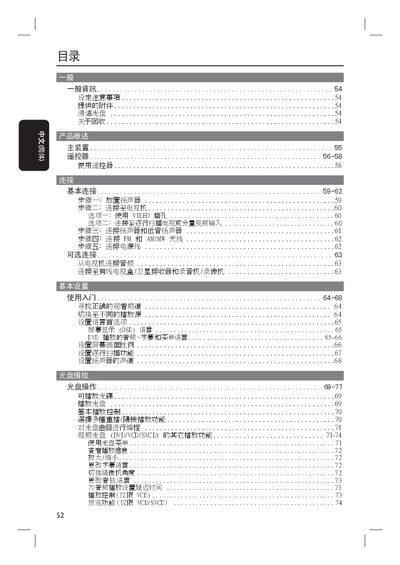
This manual explains how to install and safely use the Philips DVD player, covering power connections, ventilation requirements, and recommended placement. It also details the remote‑control functions and the various input sources the unit supports.
The guide includes instructions for adjusting audio channels, selecting video aspect ratios, using USB, MP3/WMA, FM/AM radio, and subtitle options, as well as a troubleshooting section with common error solutions. This manual is written in Japanese.
| Supported Disc Formats | DVD, VCD, SVCD |
|---|---|
| Audio File Support | MP3, WMA |
| Radio Bands | FM, AM/MW |
| USB Playback | USB memory stick or USB storage device |
| Audio Output Connectors | Left/Right (white and red jacks) |
The player supports MP3 and WMA audio files, as well as CD‑quality audio from discs.