
Philips HTS3578W Home Theater Speaker User Guide

This is a quick start guide for the HTS3578W, which introduces the product's features and characteristics.
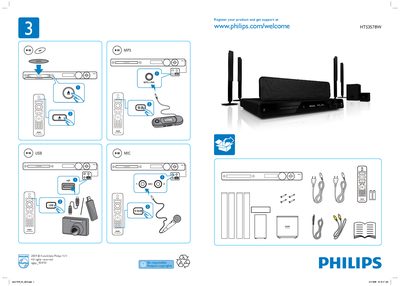

Philips HTS3578W Home Theater Speaker User Guide - cover page
Brand
Philips
Category
Home Speakers
Document type
User Manual
Language
English
Pages
2
File format
PDF
File size
1.6 MB
Published
26 March, 2012
Updated
30 September, 2023
MD5 checksum
BB0F535E12BEE2474E5E53CA915B4030

About this manual

The Philips HTS3578W is a home theater speaker system. This user guide explains how to set up the speakers, configure EasyLink, and use features such as Disc Lock and language selection.

Key sections include General Setup, EasyLink Setup, Disc Lock, and language options (English). The guide also shows the front, rear, and subwoofer speaker layout.

What's inside

  • General Setup
  • EasyLink Setup
  • Disc Lock
  • Language Selection
  • Speaker Layout

Frequently asked questions

How do I perform the general setup of the Philips HTS3578W?

Use the General Setup menu shown in the guide to configure the speakers.

How can I enable EasyLink on the HTS3578W?

Select the EasyLink Setup option in the menu to activate EasyLink.

What is the Disc Lock feature?

The Disc Lock option can be accessed from the menu to lock disc playback.

How do I change the language to English?

Choose English from the language selection menu.

Download PDF (1.6 MB)

More Philips Manuals


View all Philips manuals →