
The document is the instruction manual for a digital camera of a certain brand. It mainly introduces the camera's configuration, installation, screen display, shooting, video recording, audio input and output, image review setup, and other setup.
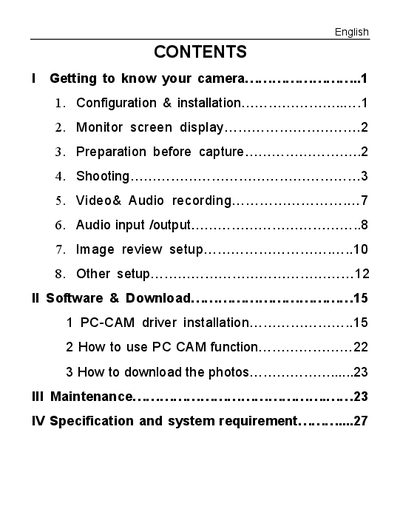
The manual covers the basic configuration and installation of the camera, including button functions, power management, and battery handling. It explains how to use the monitor screen, set up image parameters such as resolution, quality, white balance, and flash, and provides guidance for shooting still photos and recording video.
Additional sections describe video recording controls, playback and deletion of media, software driver installation for PC use, and detailed technical specifications and system requirements for the camera.
| Sensor | 5 Mega pixel CMOS |
|---|---|
| Image resolution | 2592 x 1944, 2048 x 1536, 1600 x 1200, 1280 x 960, 640 x 480 |
| Storage | Internal 32 MB Flash, External SD card (8 MB to 2 GB) |
| File format | JPEG, EXIF 2.2, MJPEG (AVI) |
| Video quality | VGA 640×480, QVGA 320×240 at 30 fps or 15 fps |
| Electronic shutter speed | 1/2 – 1/2000 sec |
| Self‑timer | 10 sec / 20 sec |
| Digital zoom | 4× |
| White balance options | Auto, Daylight, Tungsten, Fluorescent, Cloudy |
| Flash modes | flash off, flash on, flash Auto |
| Interface | USB 1.1 |
| TV output | NTSC / PAL |
| Power source | 2 × AAA alkaline or rechargeable batteries |
| OSD language | English, French, German, Spanish, Italian, Portuguese |
| Focal length | 8.25 mm |
| Aperture | f/3.0 |
| Weight | Approx. 85 g (without batteries and SD card) |
| Dimensions | Approx. 85 × 56 × 22 mm |
Press the POWER button to enter the default capture mode.