
This section describes the basic procedure for recording an image.
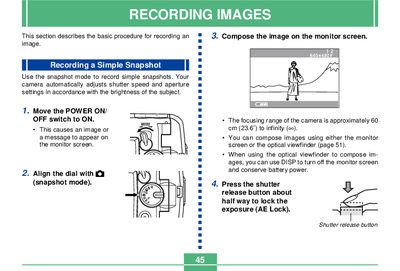
This document serves as a user guide for operating a specific model of Casio digital camera. It details procedures for capturing simple snapshots, utilizing various recording modes such as continuous shutter and macro photography, and managing image storage on memory cards. The text explains how to use the optical viewfinder and LCD monitor screen effectively while composing images.
| Focusing Range | 60 cm to infinity |
|---|---|
| Flash Effective Range | 0.6m to 2m |
| Monitor Screen Resolution | 61,380 pixels |
| Power Supply | Four AA-size alkaline or lithium batteries |
| Dimensions | 100.5(W) x 74.0(H) x 49.0(D) mm |
| Weight | Approximately 250g |
The camera bypasses buffer memory and saves images directly to the memory card, causing longer wait intervals between shots.
No, digital zoom is disabled when recording movies.