
Eye 310 is a USB webcam that can be used for video conferencing, instant photo taking, recording or simple security monitoring.
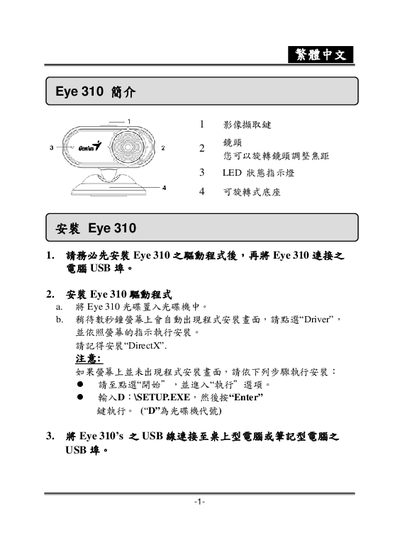
This manual guides users through installing the Eye 310 hardware and required software drivers, including DirectX installation and USB connection setup. It also explains how to launch the application and configure basic settings.
The document describes the various capture modes—static, dynamic, and preview—along with image resolution options, safety monitoring features, and methods for exporting images via email or saving as JPEG/AVI files. This manual is written in Japanese.
| Image resolution | 320 x 220 |
|---|---|
| Interface | USB |