
The document describes the steps for hardware installation, including connecting the receiver to a PC's USB port, installing two AA batteries in the mouse, turning on the computer, pressing the button on the receiver, and then pressing the button under the mouse for channel setting. It also provides precautions for using the battery charger receiver to recharge batteries and troubleshooting tips for using the wireless optical mouse.
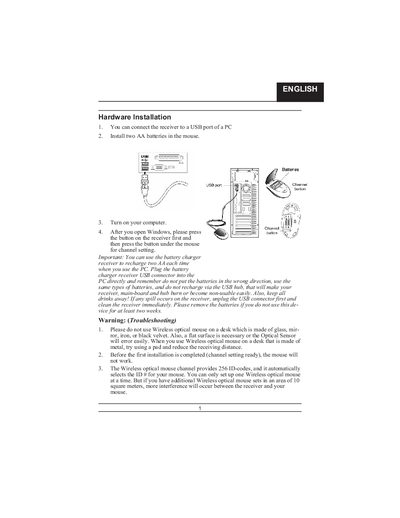
The manual explains how to connect the receiver to a PC USB port, install AA rechargeable batteries, and set the channel by pressing the receiver button followed by the mouse button. It includes warnings about correct battery orientation, avoiding USB hubs for charging, and keeping liquids away from the device.
It also details software installation from a setup disk, describes the multimedia and internet keys, and provides button assignment options for enhanced functionality.
| Battery type | Ni‑MH AA 1.2 V 1300‑1600 mAh |
|---|---|
| Channel codes | 256 D‑codes |
| Recommended receiver distance | at least 8 inches (≈20 cm) |
Use Ni‑MH AA batteries (1.2 V, 1300‑1600 mAh) and do not mix with other battery types.
It shows the battery‑recharging status and turns fully on when the battery is fully charged.
Do not use the mouse on glass, mirror, iron, or black velvet surfaces; a flat surface is required.