
The document provides instructions for hardware installation, including connecting the receiver, installing batteries, and turning on the computer. It also includes troubleshooting warnings and precautions.
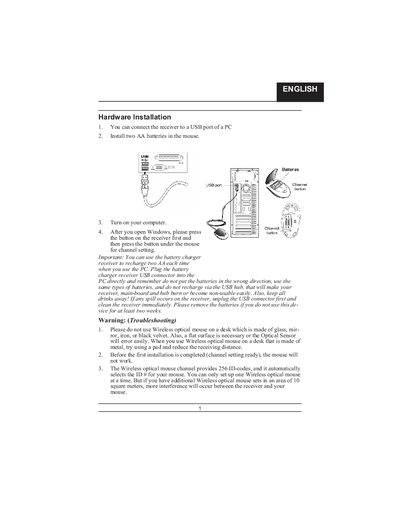
The manual provides step‑by‑step instructions for installing the wireless optical mouse hardware. It explains how to connect the receiver to a PC USB port, install AA batteries, set the channel, and avoid common pitfalls such as using the mouse on reflective surfaces.
It also covers software installation from the supplied setup disk, battery‑recharging indicators, multimedia and application‑switch keys, and button assignments for left, right, and the Magic‑Roller functions.
| Battery type | Ni‑MH AA 1.2 V 1300‑1600 mAh |
|---|---|
| Channel codes | 256 D‑codes |
| Recommended receiver distance | at least 8 inches (≈20 cm) |
| LED indicator | Shows battery‑recharging status |
| Multimedia keys | 10 “One Touch” keys |
Use Ni‑MH AA batteries rated 1.2 V and 1300‑1600 mAh; do not mix with Li‑ion, Ni‑Cd, alkaline or other types.