
The product has the function of playing MP3 and WMA music, can also receive FM radio, has SRS surround sound effect, can set EQ equalizer, can also be used for recording, can be connected to PC through USB, can use yepp studio software to edit music.
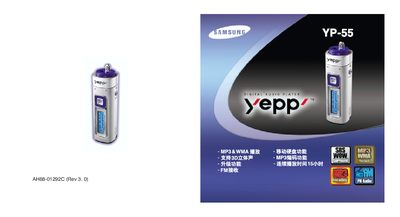
This manual covers the basic operation of the Samsung YP-55 MP3 player, including how to connect the device to a computer, install the USB driver, and use features such as audio playback, FM radio, and recording. It also explains key functions, menu navigation, and how to upgrade firmware.
Safety guidelines, battery installation, and troubleshooting steps are provided to help users avoid damage and resolve common issues such as a blank screen, no sound, or USB connection problems.
| Memory capacity | 256 MB |
|---|---|
| Continuous playback time | 15 hours |
| Supported audio formats | MP3 8 kbps‑320 kbps, WMA 48 kbps‑192 kbps |
| FM frequency range | 87.5 – 108.0 MHz |
| Output frequency range | 20 Hz – 20 kHz |
The player can run up to 15 hours of continuous playback when using a single AAA/LR03 alkaline battery.
Check that the battery is installed correctly and has sufficient charge; replace or recharge the battery if necessary.