
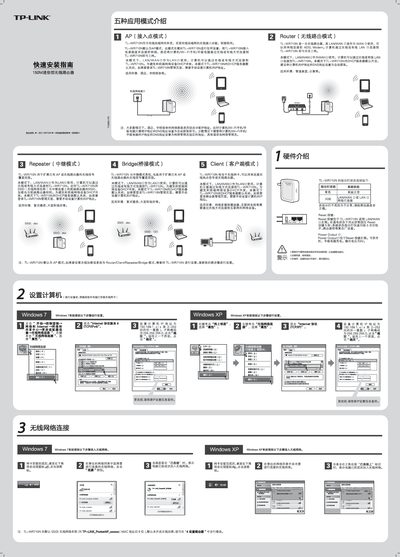
This guide explains the five operating modes of the TL‑WR710N router – AP, Router, Repeater, Bridge and Client – and shows how to select the appropriate mode for environments such as hotels, dormitories, or large homes. It also details the default network settings, including the SSID and DHCP behavior, and provides instructions for connecting computers, tablets or phones.
Step‑by‑step instructions walk the user through accessing the web interface (http://192.168.1.253), logging in with the default admin credentials, configuring the wireless name and password, and resetting the device to factory defaults if needed. Additional sections cover indicator‑light meanings, the Power Output port for charging devices, and how to set a static IP address when required. This manual is written in Chinese.
| Wireless speed | 150 Mbps |
|---|---|
| Default SSID | TP-LINK_PocketAP_xoccccc |
| DHCP server | Disabled by default in Repeater/Bridge/Client modes |
The default SSID is TP‑LINK_PocketAP_xoccccc, where the suffix is the last six MAC address digits.