
This document is a user manual for setting up ADSL2/2+ customer premises equipment. It provides detailed instructions for configuration and troubleshooting common issues.
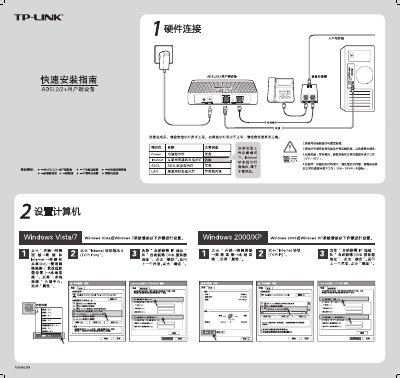
This guide walks you through the initial setup of the TP‑Link TD‑8820 ADSL2/2+ router, including accessing the web interface at 192.168.1.1, logging in with the default admin credentials, and completing the Quick Setup wizard. It also covers configuring time zone, internet connection type, and saving the settings.
Additional sections provide troubleshooting tips for common issues such as loss of internet connectivity, incorrect login credentials, and ADSL link problems, as well as instructions for resetting the device to factory defaults. This manual is written in Chinese.
| Default IP address | 192.168.1.1 |
|---|---|
| Default username | admin |
| Default password | admin |