
This manual introduces how to use the DVD player's functions, including connection, playback, menu options, etc.
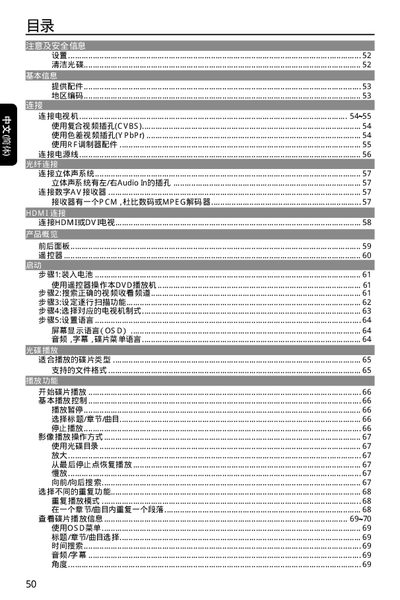
This manual covers safety and handling instructions for the Philips DVP 3960 DVD player, including ventilation requirements, restrictions on heavy objects, and cautions against water exposure. It also explains how to install the unit, connect video and audio cables, and configure region settings.
The guide details playback functions such as supported video formats (CVBS, YPbPr, HDMI), audio output (stereo left/right), and file types (DivX, MP3, WMA). Troubleshooting tips, remote‑control operation, and technical specifications are provided for end users and service technicians. This manual is written in Chinese.
| Video output (CVBS) | CVBS |
|---|---|
| Video output (YPbPr) | YPbPr |
| Audio output | Stereo left/right |
| Supported file formats | DivX, MP3, WMA |
Use the CVBS or YPbPr video connectors, or connect via HDMI or an RF modulator as described in the manual.