
This document is an operation panel instruction for a washing machine, which introduces functions such as power switch, washing water amount, and abnormal working state handling.
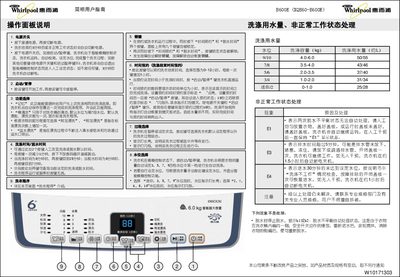
This manual provides detailed instructions for operating the Whirlpool B600E front‑load washing machine. It covers the control panel layout, how to select wash programs, adjust water levels, set time appointments, and use special functions such as extra rinse, overflow rinse, and tub cleaning.
The guide also includes troubleshooting information for error codes (E1, E3, E4), lock‑key operation, and specifications such as rated voltage, power consumption, capacity, dimensions, and water pressure requirements. This manual is written in Chinese.
| Rated voltage | 220V~ |
|---|---|
| Rated frequency | 50Hz |
| Rated input power | 400W |
| Washing and spinning capacity | 6.0 kg |
| Weight | 34 kg |
| Overall dimensions (H×W×D) | 546 × 537 × 920 mm |
| Box dimensions | 530 × 530 mm |
| Inlet water pressure | 0.02‑0.78 MPa |
E1 means two spin‑imbalance events that cannot be auto‑corrected; manually redistribute the laundry and close the lid before the machine continues.
Press the Time Appointment and Spin Time keys at the same time; all nine keys will be locked. Press the same two keys again to unlock.
Press the Wash Program key to choose a program, or simply use the default program if no selection is made.
Press the Time Appointment key; each press adds one hour up to 12 hours. The machine will start the wash when the set time is reached.