
This document is the user manual for washing machine B600D, which details the washing machine's operation panel instructions, washing water usage, abnormal operating status handling, etc.
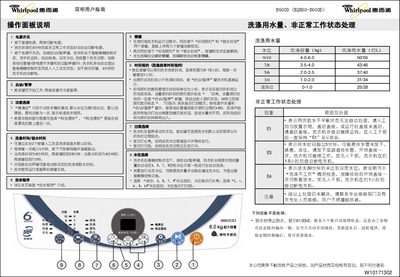
The manual describes each button on the control panel, including power, start/pause, water‑level selection, program selection, and additional functions such as extra rinse and tub cleaning. It also covers how to set washing and spin times, lock keys, and schedule a wash with the time‑appointment feature.
Troubleshooting information is provided for error codes (E1, E3, E4) and tips for handling abnormal conditions, along with the machine’s technical specifications and installation steps such as connecting water hoses and power. This manual is written in Chinese.
| Rated Voltage | 220V~ |
|---|---|
| Rated Frequency | 50Hz |
| Rated Input Power | 400W |
| Washing/Spinning Capacity | 6.0 kg |
| Weight | 34 kg |
| Overall Dimensions (H×W×D) | 546 mm × 537 mm × 920 mm |
| Cabinet Dimensions (W×D) | 530 mm × 530 mm |
| Inlet Water Pressure | 0.02‑0.78 MPa |
Press the power switch, then press the start/pause key to begin the wash cycle.
E1 indicates an imbalance during spin; evenly distribute the laundry and close the lid before the machine can continue.
Use the time‑appointment button; each press adds one hour up to 12 hours, then start the cycle.
Press the water‑level selection key to choose a level; the indicator light stays solid for odd levels and flashes for even levels.