
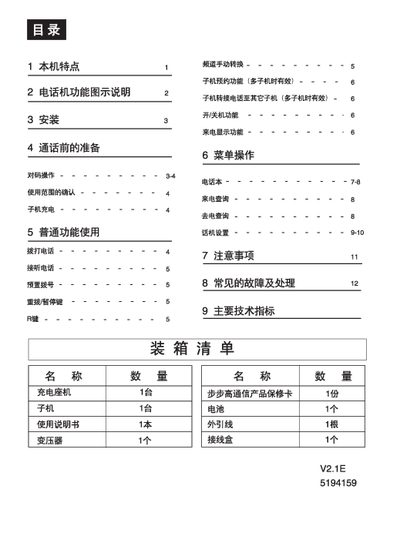
This manual describes the BBK telephone system, which includes a charging base unit and up to four sub‑units. It explains the device’s features such as dual‑mode FSK/DTMF caller ID, programmable speed‑dial, and night‑light LCD display.
Installation steps, basic operation procedures, menu navigation, and common fault troubleshooting are provided. Safety guidelines and technical specifications are also included to ensure reliable use in a suitable environment. This manual is written in Chinese.
| Operating frequency | 45/48 MHz (20 channels) |
|---|---|
| Power supply | 9 V 50 Hz AC |
Press and hold the charging base’s call/pair key together with the sub‑unit’s transfer/pair key for about 5 seconds; the “使用中” indicator will flash and the sub‑unit will display “对码成功”.
Check that the line is properly connected, the sub‑unit’s ringer is not set to “off”, and that the device has power.
Place the sub‑unit back on the charging base and charge for 10–15 hours; the low‑battery symbol will disappear once the battery is sufficiently charged.