
Great Wall computer laptop user manual, introduces the basic use of laptops, including power on, power off, battery connection, external device connection, BIOS settings, software installation, power management and other content.
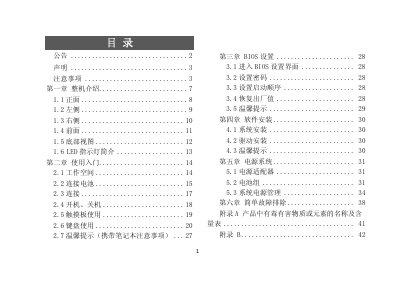
This manual introduces the Greatwall notebook computer, describing its external components such as the front panel, side panels, rear, bottom and LED indicators. It then guides users through initial setup, workspace preparation, battery connection, power on/off procedures, touchpad and keyboard usage, as well as safety and handling tips.
Further sections cover BIOS configuration, operating system and driver installation, power adapter and battery management, and a troubleshooting appendix with common issues and service information. Appendices list hazardous substance content and service contact details. This manual is written in Chinese.
| USB接口 | Supports USB2.0 |
|---|---|
| 电源适配器 | Works only with the voltage type indicated on the adapter label |
Press the appropriate key during startup to enter the BIOS settings interface.
Make sure Windows Media Player is not running, as it can prevent standby/hibernate.