
This document contains basic care and tips for using a laptop. It covers the different views and features of the laptop, as well as instructions for connecting the AC adapter, using the touchpad and keyboard, and carrying the laptop. It also includes information on BIOS setup utility, driver installation, power management, and troubleshooting.
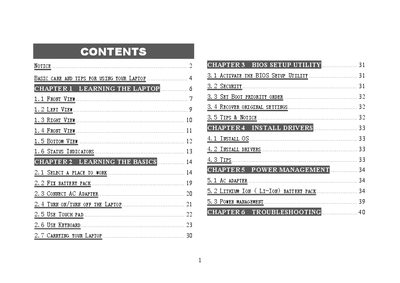
This user manual guides owners of GreatWall laptops through safe handling, basic operation, and system configuration. It covers topics such as caring for the laptop, using the keyboard, touch pad, and built‑in camera, as well as BIOS setup and driver installation.
Safety notices, power‑management tips, and detailed troubleshooting steps are provided for common issues like battery problems, display damage, and connectivity failures. Follow the instructions to maintain reliable performance and avoid damage.
| Camera | 1.3 Mega‑pixel built‑in camera |
|---|---|
| Display panel | Color LCD panel with back lighting |
| Microphone | Omni‑directional built‑in array microphone |
| Touch Pad | Mouse‑like cursor control with two buttons |
Power off the laptop, remove the battery pack, disconnect the AC adapter, then use a soft cloth moistened with water; do not use liquid or aerosol cleaners.
Refer to the Troubleshooting section (page 40) for detailed steps on diagnosing and fixing the problem.
No. The manual states you must not connect the adapter to any other devices.