
This document is a user manual for a laptop computer, including machine introduction, getting started, BIOS settings, software installation, power system, and simple troubleshooting.
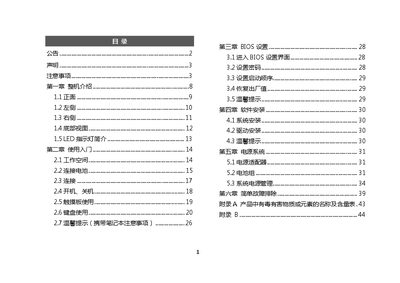
The manual introduces the laptop’s physical components, basic operation, BIOS configuration, operating‑system and driver installation, and power‑system management. It also includes a simple troubleshooting section and appendices covering hazardous substance compliance and service information.
Safety warnings cover proper environmental conditions, handling of the battery and power adapter, cleaning procedures, and advice on when to seek professional service. The document emphasizes using only authorized accessories and following local regulations for battery disposal. This manual is written in Chinese.
Press and hold the power button for more than four seconds to force a shutdown.
No, you must not use a power adapter that is not supplied with the product.
Turn off the computer, unplug the power cord, remove the battery, and wipe with a lightly damp soft cloth.