
This document introduces safety measures and maintenance methods for the Philips 191EL1 display.
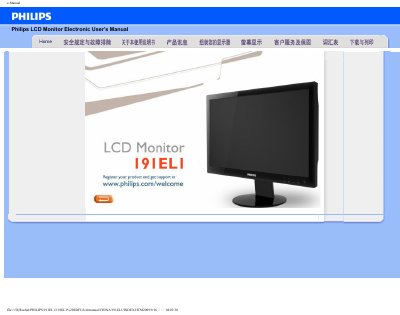
The Philips 191EL1 LCD Monitor User Manual explains how to safely install, set up, and operate the 18.5‑inch display. It includes safety precautions, environmental requirements, cleaning instructions, and detailed wiring and video‑mode settings.
The guide also contains a troubleshooting section with common problems such as no image, incorrect video mode, and LED power‑lamp issues, as well as a FAQ that answers questions about resolution adjustment, refresh rate, and cleaning methods. Technical specifications and a pixel‑defect policy are provided for reference. This manual is written in Chinese.
| Display size | 18.5" W diagonal |
|---|---|
| Resolution | 1366 x 768 pixels |
| Pixel density | 0.300 x 0.300 mm |
| Vertical refresh rate | 56‑76 Hz |
| Horizontal refresh rate | 30‑83 kHz |
| Video dot clock | 165 MHz |
| Video input impedance | 75 Ω |
| Sync signal impedance | 2200 Ω |
| Input signal level | 0.7 Vpp |
Set the computer to the recommended video mode of 1366 × 768 @ 60 Hz, then restart the PC and reconnect the monitor.
Yes, the monitor has four standard VESA mounting holes for attachment to VESA‑compatible arms or brackets.