
Jawbone ICON is a Bluetooth headset that can connect to Cisco Unified IP Phones, iPhone and Blackberry, supporting call, reject incoming calls, make calls, activate voice dialing, redial last number, simultaneous calls and volume adjustment.
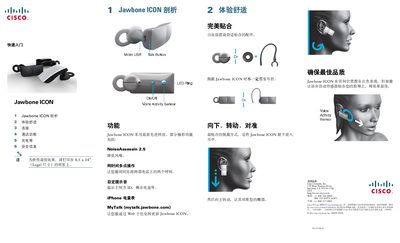
This guide provides step‑by‑step instructions for pairing the Jawbone ICON with Cisco Unified IP phones and other Bluetooth devices, using the call button, LED indicators, and default PIN 0000. It also covers basic operation such as answering, ending, and managing multiple calls, as well as volume control.
Additional sections detail charging procedures, battery life, safety warnings, technical specifications, and FCC compliance. The manual includes recommended usage tips and maintenance advice to ensure optimal performance and user safety. This manual is written in Chinese.
| Talk time | up to 4.5 hours |
|---|---|
| Standby time | over 10 days |
| Effective range | 33 ft (10 m) |
| Connector | Micro‑USB |
| Bluetooth version | 2.1 + EDR |
Charging to 80 % takes about 40 minutes, and a full charge takes about 90 minutes.
The headset provides up to 4.5 hours of call time on a single charge.