
The 220C1SW is a 22-inch wide screen display with 2ms response time, SmartContrast 30000:1 contrast and SmartImage. It complies with TCO 5.0, Energy Star 5.0 standards and has a USB port.
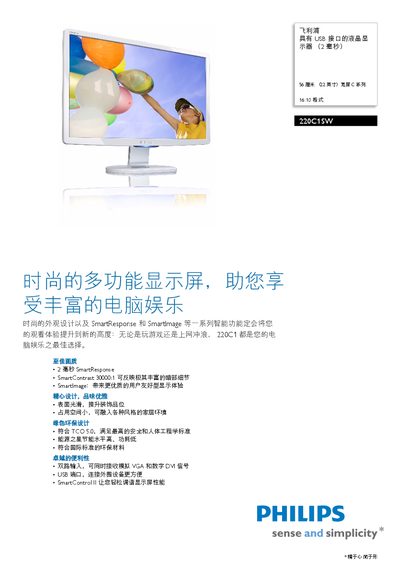
The Philips 220C1 series LCD monitor features a 22‑inch (56 cm) widescreen TFT‑LCD panel with a 16:10 aspect ratio, 1680 × 1050 resolution, 30,000:1 SmartContrast, and a 2 ms gray‑to‑gray response time. SmartImage technology dynamically optimizes contrast, color saturation, and sharpness based on displayed content, while SmartControl software lets users fine‑tune brightness, color, and geometry.
The monitor includes a USB 2.0 port for easy connection of peripherals such as storage devices, cameras, and printers. Power consumption is low, with ECO mode under 19 W, standby below 0.8 W, and sleep mode under 0.5 W, meeting Energy Star 5.0 and TCO 5.0 standards. Physical dimensions, weight, and environmental compliance details are also provided. This manual is written in Chinese.
| Panel size | 22 inches / 55.9 cm |
|---|---|
| Aspect ratio | 16:10 |
| Resolution | 1680 × 1050 @ 60 Hz |
| Pixel pitch | 0.282 mm × 0.282 mm |
| Brightness | 250 cd/m² |
| Contrast ratio | 30,000:1 |
| Response time | 2 ms (gray‑to‑gray) |
| Viewing angle | 176° (H) / 117° (V) |
| Color depth | 16.7 M colors |
| USB interface | USB 2.0 (single port) |
| Power consumption (ECO mode) | <19 W |
| Standby power | <0.8 W |
| Weight (with stand) | 4.4 kg |
| Dimensions (with stand) | 425 mm × 508 mm × 201 mm |
The monitor has a 2 ms gray‑to‑gray response time.
Standby power consumption is less than 0.8 W.
It includes a single USB 2.0 port for peripheral connections.
The display offers a 30,000:1 SmartContrast ratio.