
This document is a simplified Chinese manual that introduces the various functions and features of a Chinese mobile phone.
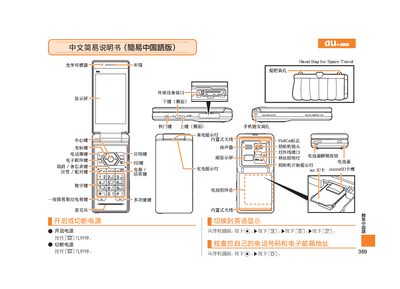
This two‑page manual provides simple step‑by‑step instructions for basic operations of a Sharp mobile phone. It covers powering the device on and off, dialing numbers, saving and viewing contacts, and using the built‑in camera for photos and videos.
The guide is written in Chinese and includes button‑press sequences such as holding the [5] key to turn the phone on or off, and holding specific keys for functions like silent mode and voice memos.
Press and hold the [5] key for a few seconds.