
PCI-DMC-A01 is an industrial control card that supports Delta ASDA-A2-F servo drives.
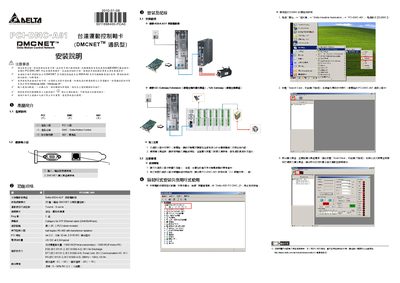
The Delta PCI-DMC-A01 is a DMCNET motion‑control communication card that connects to Delta ASDA‑A2‑F servo drives or DMCNET extension modules. It provides a PCI interface for industrial PCs and supports half‑duplex RS‑485 communication with transformer isolation.
The guide details safety precautions, installation steps, required cable (Category 5e STP Ethernet), driver setup, and how to launch the EzDMC application to search and scan connected modules. This manual is written in Chinese.
| Product Interface | PCI Interface |
|---|---|
| Power Consumption | +5V DC at 0.5A typical |
| Communication I/O Immunity | 1 kV |
| Operating Temperature | 0 °C ~ 50 °C |
| Supported Driver Module | Delta ASDA‑A2‑F Servo Drive |
| Communication Interface | Half‑duplex RS‑485 with transformer isolation |
The card must be installed in an industrial PC running Windows 2000 or Windows XP.
Open Device Manager and check for the entry “Delta ASD PCI DMC_01”.
Use a Category 5e STP Ethernet cable (24 AWG/4 Pairs) with a maximum length of 30 m.