
This document is a product manual for the Philips LFH 600 and LFH 620 digital voice recorders. The document describes the features and usage of the products, including recording, playback, and deletion functions.
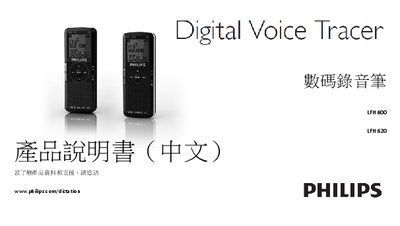
This manual introduces the Philips LFH600 and LFH620 digital voice recorders, covering safety information, product features, and technical support. It explains how to insert batteries, power the device on and off, use the HOLD lock, and connect the recorder to a computer via USB.
Detailed sections describe recording with built‑in or external microphones, playback options, file management, firmware updates, personal settings, and troubleshooting common issues such as power problems or memory full warnings. This manual is written in Chinese.
| Recording format | MP3 (MPEG‑1 Audio Layer 3) |
|---|---|
| Built‑in speaker output power | 110 mW |
| Battery type | Two AAA alkaline batteries |
| Display size | 3.9 mm (1.5 in) diagonal LCD |
Press the power button until the display shows “HELLO”.
Slide the HOLD switch to the lock position; all buttons become inactive. Push it back toward “off” to unlock.
Check that the batteries are correctly inserted and not depleted; replace them if necessary.