
The document discusses the features and characteristics of the products.
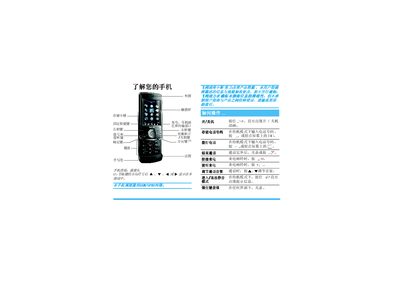
The manual explains how to power the phone on and off, install the SIM card and battery, and navigate the touch‑screen interface with five fixed shortcut keys. It also covers basic operations such as making and receiving calls, adjusting call volume, and using the built‑in calculator.
Additional sections describe how to use the storage card, switch input methods, access multimedia functions, configure network settings, and perform troubleshooting and warranty procedures. This manual is written in Chinese.
| Battery | Rechargeable |
|---|---|
| Charging method | USB data cable |
| Touchscreen shortcuts | Five fixed shortcut keys at bottom |
| Call volume control | Adjust with volume keys |
Press and hold the power key until the power on/off animation appears.
Connect the USB cable to the charger’s USB port and then to the phone’s USB port, ensuring the arrow direction matches.
Use the volume keys to increase or decrease the call volume during a call.