
This is a Philips AZ5740 quick start guide, which mainly introduces the features of the product, including listening to the radio, connecting power, playing USB, playing discs, playing tapes, etc.
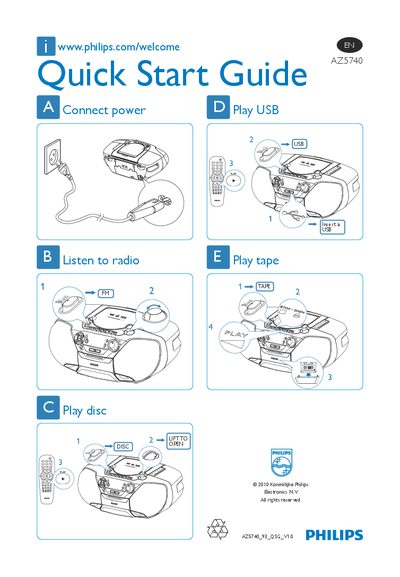
The Philips AZ5740 Quick Start Guide provides concise instructions for getting the device up and running. It shows how to connect power, tune radio stations, and operate the various media functions.
Key functions include playing audio from a USB device, a compact disc, or a cassette tape, as well as basic operation of the built‑in FM radio. The guide uses simple diagrams and short text to help users start using the player quickly. This manual is written in Chinese.
Insert the USB device and select the "Play USB" option.
Lift the disc cover to open it.
Select the "Listen to radio" function.
Plug the power cord into the socket and select "Connect power".