
This guide guides you to perform the daily operations of the printer, including the appearance of the printer, the control panel, the printer components, the installation of the media, etc.
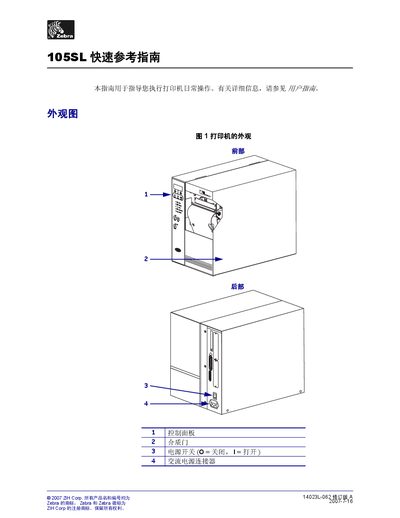
This guide provides concise instructions for everyday use of the Zebra 105SL printer. It describes the printer’s appearance, control panel indicators, and internal components such as the print head, media feed rollers, and ribbon mechanisms.
The document walks the user through loading media and installing or replacing the ribbon, including step‑by‑step procedures for both the cut‑paper mode and ribbon path, as well as how to remove an old ribbon safely. This manual is written in Chinese.
| Power connector | AC power connector |
|---|---|
| Display | LCD screen |
| Power indicator light | illuminated when printer is on |
| Error indicator light | flashes when operator attention is needed |