
This guide guides you through the daily operations of the printer, including appearance, control panel, printer components, and media installation.
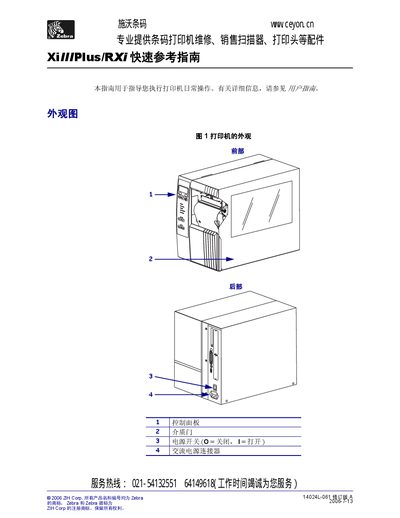
The guide explains the main functions of the printer's control panel, including the LCD status display, source indicator, pause light, and data indicator. It also describes the printer's components and how they fit together.
Detailed installation procedures are covered, such as removing the old cartridge or color ribbon, inserting the new one, and securing it by rotating clockwise. Safety notes and handling tips are included to prevent damage during maintenance. This manual is written in Chinese.
Hold the pull cord of the new ribbon, insert it into the carriage, and turn it clockwise to tension and secure it.