
Key facts
- Manuals
- 23
- Models
- 6
- Categories
- 1
- Languages
- ZH · EN
- Last added
- 2012-03-28
TEC models by category
Featured TEC manuals
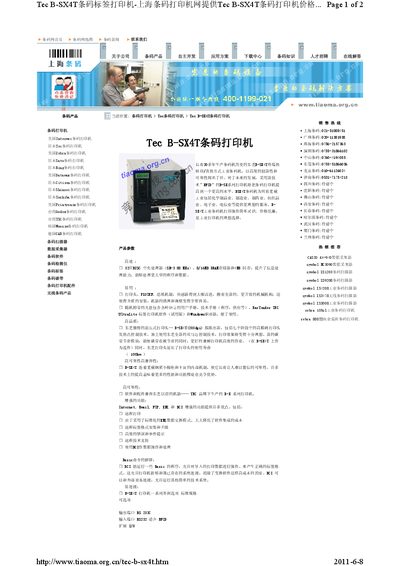
Tec B-SX4T Printer Product Leaflet
The Tec B-SX4T is an RFID‑enabled label printer designed for industrial applications. It offers a 203 dpi print engine, high‑speed printing up to 254 mm/s (10 ips), and a print width of 104 mm.
The printer supports a wide range of barcode symbologies and connectivity options, including RS‑232C, USB, 10/100 Ethernet and PCMCTA interfaces. It also provides RFID functionality on HF 13.56 MHz and UHF 869.5 MHz frequencies, and its physical dimensions are 291 × 460 × 308 mm with a weight of 18 kg. This manual is written in Chinese.
Covers: Product Overview · Technical Specifications · Print Performance · Connectivity · RFID Capabilities · Barcode Support
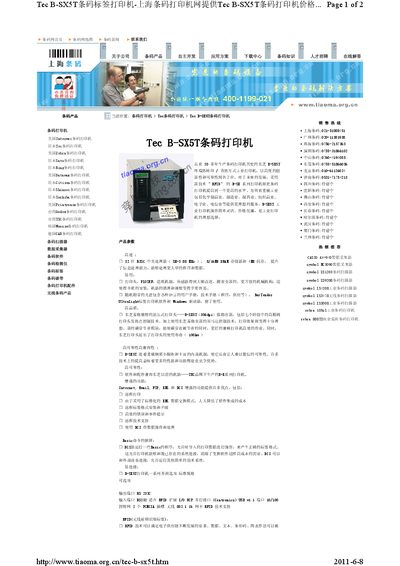
Tec B-SX5T Barcode Label Printer Datasheet
The Tec B-SX5T is an industrial barcode label printer offering thermal transfer and direct thermal printing technologies. It features a suspended print head, 306 dpi resolution, and a range of connectivity options for flexible integration.
Designed for heavy‑duty environments such as manufacturing, pharmaceuticals, and logistics, the printer supports a wide variety of 1D and 2D barcode symbologies, RFID tag encoding, and includes optional accessories like a rotary cutter and peel‑off unit. This manual is written in Chinese.
Covers: Product Parameters · High Quality · Reliability and Compatibility · Basic Command Explanation · Specifications · Customer Benefits
Toshiba TEC B-570 SERIES Thermal Printer Maintenance Manual
This manual provides step‑by‑step procedures for unpacking the B‑570 SERIES thermal printer, checking accessories, and preparing the unit for service. It includes detailed instructions for major unit replacement such as the power supply, CPU board, stepping motor, ribbon motors, take‑up motor, and solenoid.
Additional sections describe optional equipment installation, mechanism descriptions, diagnostic test operations, error codes, and the program download process via floppy disk, RS‑232C, or high‑speed PC interface.
Covers: Unpacking · Major Unit Replacement · Installation Procedure for Optional Equipment · Mechanism Descriptions · Troubleshooting · Diagnostic Test Operation
Toshiba TEC B-870 Series Thermal Printer Service Manual
This manual describes how to unpack, install optional equipment, replace major units, and perform routine maintenance on the Toshiba TEC B-870 Series thermal printer. It includes detailed safety cautions, lubrication guidelines, and part numbers needed for service work.
The document also covers diagnostic test operations, program download via RS‑232C or high‑speed PC interface, error‑code reference, and troubleshooting steps to restore printer functionality. All procedures are illustrated with diagrams and part lists.
Covers: Unpacking · Major Unit Replacement · Installation Procedure for Optional Equipment · Mechanism Description · Troubleshooting · Diagnostic Test Operation
Latest TEC manuals
TEC ST-6400 SERIES TEC POS Termina user manual
This document is the owner's manual for the TEC POS Terminal ST-6400 SERIES. The terminal is a Class A product that may cause radio interference in a domestic environment.
Tec B-SX4T Printer Product Leaflet
Product Leaflet 2 pages · 420 KB · ZHThe Tec B-SX4T printer product leaflet provides specifications, features, and interface details for this RFID-enabled label printer.
Tec B-SX5T Barcode Label Printer Datasheet
Datasheet 2 pages · 420 KB · ZHTechnical specifications and features of the Tec B-SX5T industrial barcode label printer.
Toshiba TEC B-570 SERIES Thermal Printer Maintenance Manual
Service Manual 90 pages · 1.6 MB · ENMaintenance manual for the Toshiba TEC B-570 SERIES thermal printer covering unpacking, part replacement, optional equipment, troubleshooting and program…
Toshiba TEC B-870 Series Thermal Printer Service Manual
Service Manual 89 pages · 1.4 MB · ENThe service manual provides maintenance procedures, part replacements, troubleshooting, and program download instructions for the Toshiba TEC B-870 Series…
TEC B-452-HS Barcode Printer User Manual
User Manual 31 pages · 1.7 MB · ZHUser manual for the TEC B-452-HS barcode printer with setup, operation, specifications and troubleshooting.
TEC B-872 Barcode Printer User Manual
User Manual 1 pages · 116 KB · ZHThe TEC B-872 barcode printer manual provides specifications, printing methods, interfaces, and optional accessories for this industrial wide‑format printer.
TEC B-852 Barcode Printer User Manual
User Manual 1 pages · 116 KB · ZHThe TEC B-852 is an industrial ultra‑wide barcode printer with 300 dpi resolution and up to 213 mm print width, supporting thermal transfer and…
TEC B-572 Barcode Printer Product Leaflet
Product Leaflet 2 pages · 114 KB · ZHThe TEC B-572 is an industrial barcode printer with 300 dpi resolution, 203 mm/s speed and multiple printing modes.
TEC B-452 Barcode Printer User Manual
User Manual 2 pages · 113 KB · ZHThe TEC B-452 barcode printer manual provides specifications, printing methods, and interface details for industrial label applications.
TEC B-472 Barcode Printer User Manual
User Manual 2 pages · 113 KB · ZHThe TEC B-472 barcode printer user manual provides specifications, printing options, and operation details for industrial high‑speed label printing.
TEC B-452-TS heat transfer Printer user manual(2)
Toshiba TEC B-452-TS Heat Transfer Printer User Manual
User Manual 28 pages · 1.1 MB · ZHUser manual for the Toshiba TEC B-452-TS heat‑transfer printer covering safety, installation, operation, specs and maintenance.
Toshiba B-452-TS Heat Transfer Printer User Manual
User Manual 28 pages · 1.1 MB · ZHThe Toshiba B-452-TS heat transfer printer user manual provides safety guidelines, specifications, installation, operation, and maintenance instructions.
tec b-472 Barcode Printer user manual
Service Manual 91 pages · 1.4 MB · ENMaintenance manual for the TEC B-470 SERIES thermal printer covering unpacking, unit replacement, optional equipment installation, mechanism details…
- 1
- 2
Which document do I need?
Datasheet
Ratings, dimensions and ordering codes, for selection and design work.
Service Manual
Disassembly, diagnostics and part numbers, for repair.
User Manual
Day-to-day operation, settings and troubleshooting. Start here if the product is already set up.
Questions answered in TEC manuals
What is the print resolution of the Tec B-SX5T?
It prints at 306 dpi, which equals 12.05 dots per millimeter.
Which oil type is recommended for lubrication during part replacement?
Use FLOIL G‑488, 1 kg can, part number 19454906001.
From: Toshiba TEC B-570 SERIES Thermal Printer Maintenance Manual
How do I replace the CPU PC board?
First detach the 11 connectors from the CPU PC board, then remove the six screws (SM‑3x5B and FL‑3x5) to lift the board, and reinstall a matching board with the same type and rated fuse.
From: Toshiba TEC B-870 Series Thermal Printer Service Manual
What is the procedure to clear the printer’s RAM?
Turn the power off, then turn it on while holding the [FEED] and [PAUSE] keys to enter RAM CLEAR mode, and follow the on‑screen prompts.
From: Toshiba TEC B-870 Series Thermal Printer Service Manual
What does the HEAD ERROR message mean?
It indicates a head error, shown as code [SEC]HD001[LF][NUL] in the error log.
What printing methods does the TEC B-872 support?
It supports both thermal transfer and direct thermal printing.