
Key facts
- Manuals
- 9
- Models
- 2
- Languages
- EN
- Last added
- 2023-10-26
Mircom models by category
Featured Mircom manuals
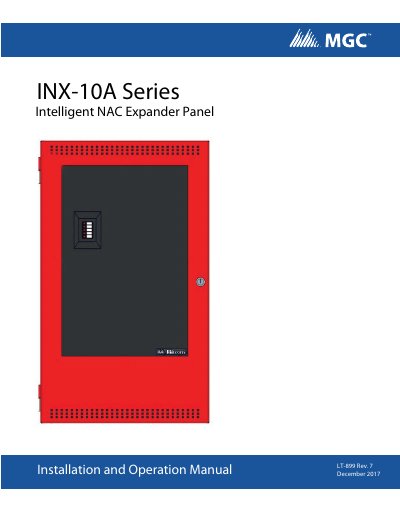
Mircom INX-10A Intelligent NAC Expander Panel Installation and Operation Manual
This manual covers the installation, operation, and configuration of the Mircom INX-10A Intelligent NAC Expander Panel, including mechanical mounting, wiring, DIP switch settings, and compatibility with various fire alarm control panels. It also details power supply options, output configurations, and troubleshooting procedures.
The INX-10A supports up to 14 notification appliance circuits per node and can operate with UL-listed 24VDC fire alarm panels. It includes a built-in charger for batteries up to 40Ah and features configurable outputs for horns, strobes, and power supply. The unit is surface or flush-mountable and comes with a red enclosure, cam lock, transformer, and battery leads.
Covers: Introduction · INX-10A Overview · Installation · Indication & Controls · Operation · Configuration
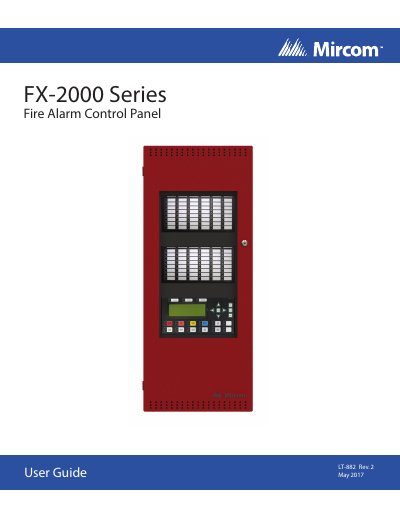
Mircom FX-2000 LT-882 Fire Alarm Control Panel User Guide
This user guide provides instructions for operating the Mircom FX-2000 Fire Alarm Control Panel LT-882. It covers the use of the Command Menu features, including printing reports, bypassing devices, performing walk tests, and managing system passcodes. The manual details how to navigate the front panel indicators and controls for both Classic and New DS displays.
Covers: Introduction · Front Panel Indicators · Common Controls · Troubleshooting · Start Up · Menu Mode
Mircom TAS-2000 ADC Telephone Access System User’s Guide
This user’s guide explains how to program and operate the Mircom TAS-2000 ADC telephone access system. It covers adding, editing, and deleting resident records, setting door DTMF codes, timers, and passwords. The guide also explains how to navigate the keypad and troubleshoot common issues like speaker problems or display contrast issues. It includes instructions for both non-scrolling and scrolling directory types.
Covers: Introduction · About this Manual · Determining the Type of TAS-2000 Directory · Technical Support · Keypad Navigation · Entering Programming Mode
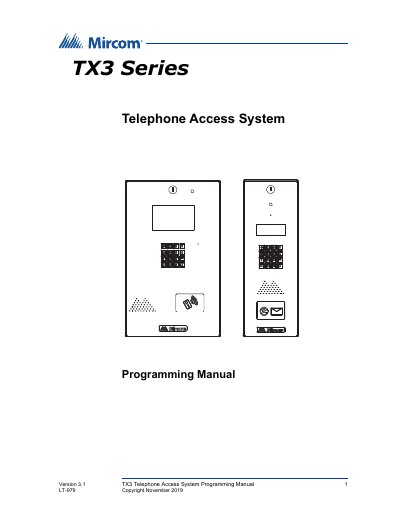
Mircom TX3 Telephone Access System Programming Manual
This manual provides detailed instructions for configuring the TX3 Telephone Access System, including keypad navigation, system settings, time/date adjustments, and database management. It is intended for qualified technicians and covers both ADC and NSL system configurations. The system supports multi-unit dwellings with features like elevator restriction, scheduling, and multilingual voice greetings.
The manual applies to multiple TX3 models including TX3-120U, TX3-200-8U, TX3-1000-8U, and others. It includes safety and regulatory compliance information, warranty details, and contact information for support.
Covers: Introduction · Keypad Navigation · Beginning Configuration · Accessing the Operation Menu · Viewing Configuration Information · Viewing the Time and Date
Latest Mircom manuals
Mircom INX-10A Intelligent NAC Expander Panel Installation and Operation Manual
User Manual 101 pages · 21.5 MB · ENInstallation, operation, and configuration guide for the Mircom INX-10A Intelligent NAC Expander Panel.
Mircom FX-2000 LT-882 Fire Alarm Control Panel User Guide
User Manual 36 pages · 7.5 MB · ENUser guide for the Mircom FX-2000 LT-882 Fire Alarm Control Panel covering operation, menu navigation, passcode settings, and troubleshooting.
Mircom TAS-2000 ADC Telephone Access System User’s Guide
User Manual 34 pages · 746 KB · ENUser guide for Mircom's TAS-2000 ADC telephone access system, covering programming, keypad navigation, and resident directory setup.
Mircom TX3 Telephone Access System Programming Manual
User Manual 62 pages · 3.3 MB · ENStep-by-step guide to configure and manage the TX3 telephone access system using keypad or computer software.
Mircom TX3 Telephone Access System Installation and Operation Manual
User Manual 101 pages · 5.2 MB · ENThis manual covers the installation and operation of the Mircom TX3 Telephone Access System, including lobby control units, NSL relay cabinets, and…
Mircom TX3 Telephone Access System User Guide
User Manual 42 pages · 3.6 MB · ENThis user guide explains how to configure the Mircom TX3 Telephone Access System (LT-968) using the keypad, including resident management, timer settings…
Mircom 9500 Series NSL No Subscriber Line Access Systems Installation, Programming, and Troubleshooting Manual
Installation Guide 68 pages · 2.5 MB · ENInstallation, programming, and troubleshooting guide for Mircom's 9500 Series No Subscriber Line Access Systems, covering wiring, components, and system…
Mircom LT-1034 FIRE-LINK Installation and Operation Manual
User Manual 55 pages · 3.8 MB · ENThis manual covers the installation, programming, operation, and maintenance of the Mircom LT-1034 FIRE-LINK system for residential fire warning.
Mircom FX-350 Series Analog/Addressable Fire Alarm Panels Installation and Operation Manual
User Manual 70 pages · 4.7 MB · ENInstallation and operation guide for the Mircom FX-350 Series Analog/Addressable Fire Alarm Panels, covering system components, wiring, and troubleshooting.
Which document do I need?
User Manual
Day-to-day operation, settings and troubleshooting. Start here if the product is already set up.
Installation Guide
Mounting, wiring and first power-up. Read it before the hardware goes in.
Questions answered in Mircom manuals
What is the maximum number of notification appliance circuits supported?
The INX-10A supports up to 14 notification appliance circuits per node using minimal configuration.
From: Mircom INX-10A Intelligent NAC Expander Panel Installation and Operation Manual
What types of batteries can be charged by the INX-10A?
The INX-10A can charge sealed lead acid or gel type batteries up to 40 Ah storage capacity.
From: Mircom INX-10A Intelligent NAC Expander Panel Installation and Operation Manual
What are the flash rates for the LED indicators?
The fast flash rate is 120 flashes per minute, and the trouble flash rate is 20 flashes per minute.
From: Mircom FX-2000 LT-882 Fire Alarm Control Panel User Guide
How do I access the Command Menu?
Press the Menu button to view the Command Menu.
From: Mircom FX-2000 LT-882 Fire Alarm Control Panel User Guide
When a visitor places a call and begins to talk, he or she cannot hear the resident. Why?
The speaker may not be working correctly. Unlock the panel and perform a visual inspection of the speaker: Look for loose wires as well as damaged components. Check that the volume in the panel speaker is set properly. VR4 (volume control) is the adjustment potentiometer for the standard board and VR2 is the adjustment potentionmeter for the slim line board; both are located at the bottom of the board. Adjust the potentionmeter clockwise to increase the volume. If there are no loose wires and the volume in the panel speaker is set properly, there may be a problem with the speaker impedance.
From: Mircom TAS-2000 ADC Telephone Access System User’s Guide
The LCD display has no display or the display has dark blocks on it. Why?
There may be a problem with the contrast level. VR1 (contrast control) is located on the back of the keypad/ display board. Adjust the potentionmeter counter-clockwise for a darker display and clockwise for a lighter display.
From: Mircom TAS-2000 ADC Telephone Access System User’s Guide