
Key facts
- Brand
- Mircom
- Model
- TX3 Telephone Access System
- Documents
- 3
- Languages
- EN
- Last added
- 2023-10-19
Start here
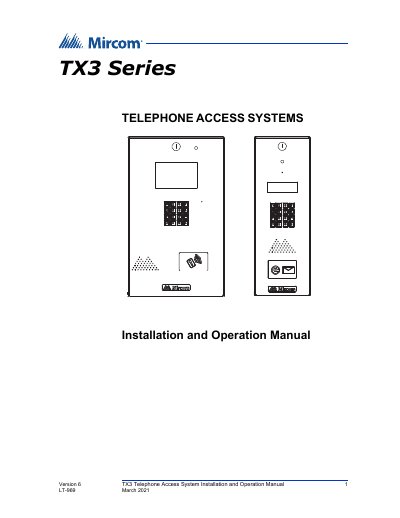
Mircom TX3 Telephone Access System Installation and Operation Manual
The Mircom TX3 series provides high-quality two-way communication between residents and visitors in multi-unit dwellings. The system supports both Auto Dialer (ADC) and No Subscriber Line (NSL) configurations and can be networked using RS-485 or Ethernet TCP/IP connections. It integrates with various Mircom controllers such as Elevator Restriction Units and Card Access Units.
Read onlineMircom TX3 Telephone Access System specifications
| System Type | TX3 Telephone Access System |
|---|---|
| Features | Stainless steel front panel, universal enclosure, 8x20 LCD, backlit keypad, postal lock and camera provisions, multilingual display and voice greeting, concierge/Security Desk/Guard Phone capability, card access interface, ADC and NSL support, peer-to-peer networking, hands-free full duplex communication, flexible dial codes, 18-digit dialing, local or computer programming, event log recording (max 5000), elevator restriction, schedule-based call restrictions, NSL testing without lobby panel, Industry Canada and FCC approved |
| Models Supported | TX3-120U, TX3-200-8U, TX3-1000-8U, TX3-2000-8U, TX3-200-4U, TX3-1000-4U, TX3-2000-4U, TX3-120C, TX3-200-8C, TX3-1000-8C, TX3-2000-8C, TX3-200-8CH, TX3-1000-8CH, TX3-2000-8CH, TX3-2000-8K |
| Regulatory Compliance | FCC Class B, Industry Canada Class B |
Source: Mircom TX3 Telephone Access System Programming Manual
All Mircom TX3 Telephone Access System documents by type
Day-to-day operation, settings and troubleshooting. Start here if the product is already set up.
Questions answered in these manuals
What models does this manual apply to?
This manual applies to TX3-120U, TX3-200-8U, TX3-1000-8U, TX3-2000-8U, TX3-200-4U, TX3-1000-4U, TX3-2000-4U, TX3-120C, TX3-200-8C, TX3-1000-8C, TX3-2000-8C, TX3-200-8CH, TX3-1000-8CH, TX3-2000-8CH, and TX3-2000-8K.
How can I view the resident list?
Press the up or down arrow keys to scroll through the list line by line, or use the star key to scroll page up and number key to scroll page down. Key in the dial code or press the Telephone Key when the cursor is on the resident’s name.
What are the two main system configurations supported by the TX3?
The system can be configured as an autodialer controller (ADC) or as a no subscriber line (NSL) system.
From: Mircom TX3 Telephone Access System Installation and Operation Manual
What network connection options are available for the TX3 system?
The system can be networked using a peer-to-peer RS-485 connection, an Ethernet TCP/IP connection, or a combination of both.
From: Mircom TX3 Telephone Access System Installation and Operation Manual
What is the factory default passcode?
If you have not set a personal password, the factory default is a four-digit code.
How do I enter configuration mode?
Press the star key, select the Configuration menu, and enter the passcode.