
Key facts
- Brand
- Usr
- Model
- TCP232-410s
- Category
- Other Electronics
- Documents
- 2
- Languages
- ZH · EN
- Last added
- 2026-10-15
Start here
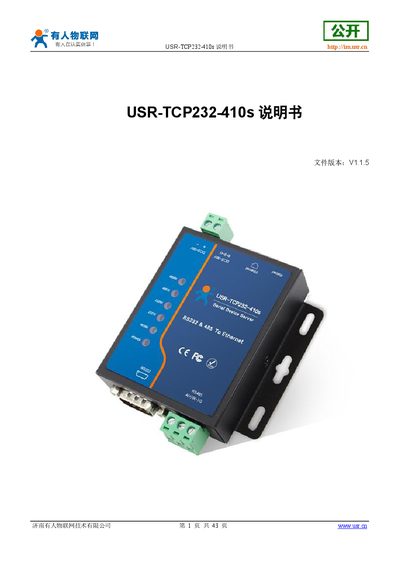
USR TCP232-410s Serial Server User Manual
The USR-TCP232-410s is a dual-port serial server designed to facilitate bidirectional transparent transmission of data between serial interfaces (RS-232, RS-485) and an Ethernet network. Operating on a Cortex-M4 processor with an industrial-grade temperature range, it supports various TCP/IP modes including Server, Client, UDP, HTTPD, and WebSocket.
The device allows configuration via a built-in web interface or AT commands. Key features include support for hardware flow control (RTS/CTS), Modbus gateway functionality, firmware upgrades over the network, and customizable MAC addresses. The manual provides detailed instructions on hardware setup, default parameters, network settings, socket configurations, serial port parameters, and specific feature implementations like heartbeat packets and cloud transmission. This manual is written in Chinese.
USR TCP232-410s specifications
| Processor | Cortex-M4, 120MHz |
|---|---|
| Operating Voltage | DC5.0~36.0V |
| Network Interface | RJ45, 10/100Mbps |
| Serial Baud Rate | 600~230.4Kbps |
| Operating Temperature | -40~85℃ |
| Dimensions | 81.5x84.0x24.0mm (L*W*H) |
| Network Isolation | 1.5KV electromagnetic isolation |
All USR TCP232-410s documents by type
Day-to-day operation, settings and troubleshooting. Start here if the product is already set up.
Questions answered in these manuals
What are the default login credentials for the web interface?
The default username is 'admin' and the password is also 'admin'.
Can the device be configured via AT commands?
Yes, the device supports configuration using both software settings and AT command sets.
How do I reset the device to default settings?
You can reset to default settings by pressing the Reload button for over 5 seconds while powering on, or by sending the AT+RELD command.
From: USR TCP232-410s Serial to Ethernet Converter User Manual
What is the default username and password for the Web Server?
The default username and password are both 'admin'.
From: USR TCP232-410s Serial to Ethernet Converter User Manual