
Key facts
- Brand
- ResMed
- Model
- Astral 150
- Category
- Health Care
- Industry
- Health
- Documents
- 4
- Languages
- EN · ZH · JA
- Last added
- 2026-10-07
Start here
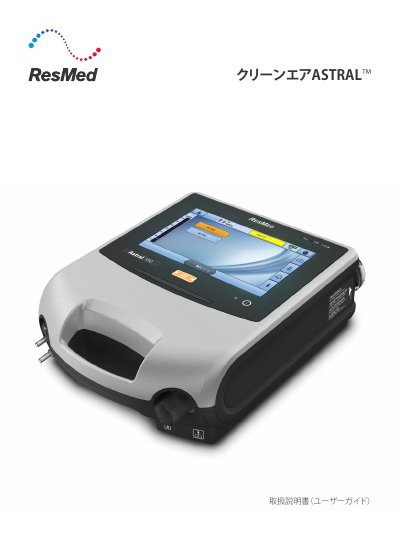
ResMed Astral 100/150 Ventilator User Guide
This Japanese user guide covers the クリーンエア ASTRAL adult ventilator, referred to in the document as the device. It is intended for patients weighing more than 5 kg who need continuous or intermittent mechanical artificial ventilation, using pressure-controlled or volume-controlled ventilation with valves or leak circuits. The guide applies to both ASTRAL 100 and ASTRAL 150, with model-specific notes where relevant, and is written for patients or caregivers.
The document describes the device layout and touchscreen, starting and stopping ventilation, menus and settings, breathing circuit assembly, accessories, oxygen addition, power management, alarms, cleaning and maintenance, troubleshooting, and specifications. It also includes warnings, contraindications, and guidance on electromagnetic emissions and immunity. This manual is written in Japanese.
ResMed Astral 150 specifications
| Power sources | AC (mains) and DC (external battery, car adapter, ResMed Power Station II) |
|---|---|
| Low flow oxygen input | Up to 30 L/min |
| Air inlet filter | Hypoallergenic filter included |
| Battery type | Internal rechargeable battery |
Source: ResMed Astral 150 User Manual
All ResMed Astral 150 documents by type
Day-to-day operation, settings and troubleshooting. Start here if the product is already set up.
Questions answered in these manuals
How do I power on the Astral 150?
Press the green power on/off switch at the back of the device; the system check runs and then the Patient Home screen appears.
How do I power on the Astral 150?
Press the green power switch on the back of the device; it will perform a system check before the patient screen appears.
How can I mute or reset an alarm?
Use the alarm mute/reset button: solid light means an active alarm, flashing means mute is on, and no light means no active alarm.
Which ASTRAL models does this guide cover?
It applies to both ASTRAL 100 and ASTRAL 150; when information applies to only one model, the model name is stated.
What patients is the ASTRAL intended to ventilate?
It provides continuous or intermittent ventilation for patients weighing more than 5 kg who need mechanical artificial ventilation.
Who is this guide intended for?
This guide should be used only by qualified medical professionals and those that have appropriate training to use this device.
From: ResMed Astral 150 Ventilator Information and User Guide