
Key facts
- Brand
- Reed Instruments
- Model
- SD-3007
- Documents
- 3
- Languages
- EN
- Last added
- 2023-10-19
Start here
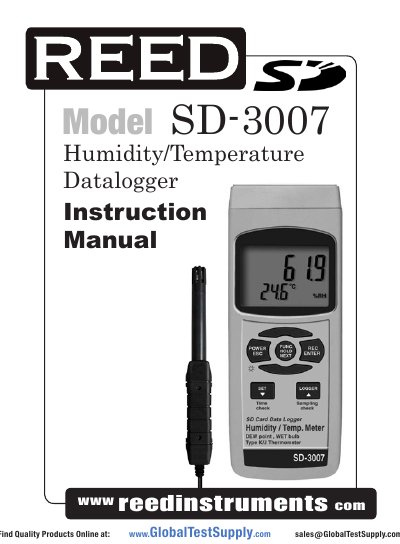
REED Instruments SD-3007 Humidity/Temperature Datalogger Instruction Manual
This manual guides users through operating the SD-3007 Humidity/Temperature Datalogger, including selecting measurement modes, data logging, and settings. It details features like real-time SD card logging, auto power-off, and support for Type K/J thermocouples. The device uses a 52mm x 38mm LCD with backlight and is powered by six UM3/AA batteries or an AC adapter.
Read onlineREED Instruments SD-3007 specifications
| Display | 52mm x 38mm LCD with backlight |
|---|---|
| Humidity Range | 5% to 95% RH |
| Temperature Range | 0-50°C (0-122°F) |
| Accuracy | ±0.8°C/±1.5°F |
| Sampling Time | 1, 2, 5, 10, 30, 60, 120, 300, 600, 1800, 3600 seconds |
| SD Card Capacity | 1 GB to 16 GB |
| Power Supply | UM3/AA (1.5 V) x 6 batteries |
| Weight | 515g/1.13lb |
| Dimensions | 177 x 68 x 45mm (7.0 x 2.7 x 1.9") |
Source: REED Instruments SD-3007 Humidity/Temperature Datalogger Instruction Manual
All REED Instruments SD-3007 documents by type
Day-to-day operation, settings and troubleshooting. Start here if the product is already set up.
Questions answered in these manuals
What measurement modes are available?
The device offers four modes: Humidity/Temperature, Dew Point, Wet Bulb, and Type K/J Thermometer.
From: REED Instruments SD-3007 Humidity/Temperature Datalogger Instruction Manual
How do I transfer data from the SD card to a computer?
Insert the SD card into a computer and download the data directly to Excel.
From: REED Instruments SD-3007 Humidity/Temperature Datalogger Instruction Manual
How do I switch between measurement functions?
Press and hold the Function Button to cycle through rH (Humidity/Temperature), dP (Dew Point), _Et (Wet Bulb), and tP (Type K/J Thermometer). Release to select.
From: REED Instruments SD-3007 Humidity/Temperature Datalogger User Manual
How do I transfer data from the SD card to a computer?
Insert the SD card into a computer’s SD card slot and download data directly to Excel without extra software.
From: REED Instruments SD-3007 Humidity/Temperature Datalogger User Manual
How do I switch between measurement modes?
Press and hold the Function Button to cycle through Humidity/Temperature, Dew Point, Wet Bulb, and Type K/J Thermometer modes.
From: REED Instruments SD-3007 Humidity/Temperature Datalogger Instruction Manual
How do I transfer data from the SD card to a computer?
Insert the SD card into the meter, then plug it into a computer. The data will download directly to Excel without needing extra software.
From: REED Instruments SD-3007 Humidity/Temperature Datalogger Instruction Manual