
Key facts
- Brand
- Reed Instruments
- Model
- R8150
- Documents
- 2
- Languages
- EN
- Last added
- 2023-10-19
Start here
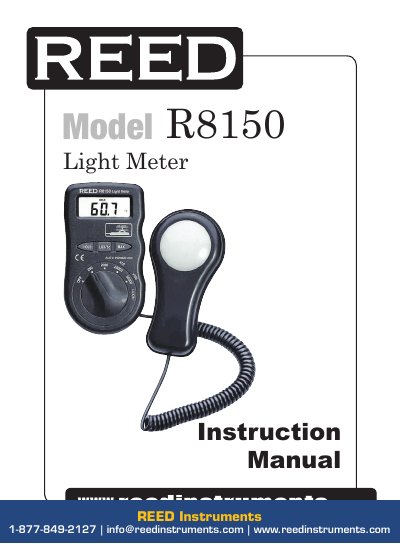
REED Instruments R8150 Light Meter Instruction Manual
This manual provides instructions for operating the REED Instruments R8150 light meter, including how to select measurement ranges, use the display, and handle over-range conditions. It also details specifications such as measuring range, accuracy, and operating temperature. Battery replacement is covered when the device displays a low battery warning.
Read onlineREED Instruments R8150 specifications
| Measuring Range | Lux: 0 to 50,000; Fc: 0 to 5,000 |
|---|---|
| Accuracy | <10,000 Lux/Fc: ±(5% rdg.+ 10 dgt); >10,000 Lux/Fc: ±(10% rdg.+ 10 dgt) |
| Resolution | Lux/Fc: 0.1 |
| Response Time | <1 sec |
| Display | 4-digit LCD |
| Auto Shut-off | Yes (after 15 mins) |
| Operating Temperature | 32 to 122°F (0 to 50°C) |
| Dimensions | 7.4 x 2.5 x 1” (188 x 64.5 x 24.5mm) |
| Weight | 5.6 oz (160g) |
Source: REED Instruments R8150 Light Meter Instruction Manual
All REED Instruments R8150 documents by type
Day-to-day operation, settings and troubleshooting. Start here if the product is already set up.
Questions answered in these manuals
How do I select measurement ranges on the R8150?
Turn the Power/Function/Range switch to select the desired range (x1 Lux/Fc, x10 Lux/Fc, x100 Lux/Fc).
What does the 'BAT' display mean?
It indicates the battery needs to be replaced. Open the battery case and install a new 12V battery.
What happens when the BAT sign appears on the display?
It indicates that the battery should be replaced.
How do you select the measurement range?
Turn the Power/Function/Range switch to select the desired range (x1, x10, or x100).