
Key facts
Start here
Polar H9/H10 Heart Rate Sensor User Manual
This guide explains how to wear and maintain the Polar H9/H10 heart rate sensor. It covers pairing with apps, cleaning the chest strap, and battery replacement. The sensor works with Polar apps and devices, and its signals do not pass through the body. It operates on 2.402–2.480 GHz ISM band with 2.0 mW max power.
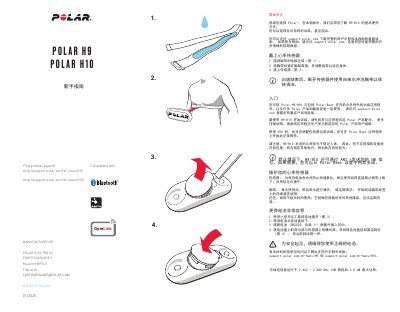
Battery replacement is simple: use a small flat tool to open the battery compartment, insert a CR2025 battery with the negative side out, and snap the cover back into place. Clean the chest strap with water after each use. This manual is written in Chinese.
Polar H9/H10 specifications
| Operating Frequency | 2.402 - 2.480 GHz ISM band |
|---|---|
| Max Power | 2.0 mW |
| Battery Type | CR2025 |
All Polar H9/H10 documents by type
Day-to-day operation, settings and troubleshooting. Start here if the product is already set up.
Questions answered in these manuals
How do I pair the H9/H10 with an app?
Pair the sensor with apps like Polar Beat or other compatible Polar products. Detailed instructions are in the app’s manual or your Polar device’s user guide.
Can I use the H10 without a Polar device?
Yes, you can use the H10 with only the sensor to record training in the Polar Beat app.
How do I pair the sensor with the Polar Flow app?
Download Polar Flow, log in or create an account, open Start, go to Training, tap the menu icon, find your sensor, and tap Pair.
What training data can the H10 store?
The H10 can store heart rate data for one separate training session, which the Polar Beat app downloads after training.