
Key facts
- Brand
- Photar
- Model
- FAX 3829
- Documents
- 2
- Languages
- ZH
- Last added
- 2012-03-28
Start here
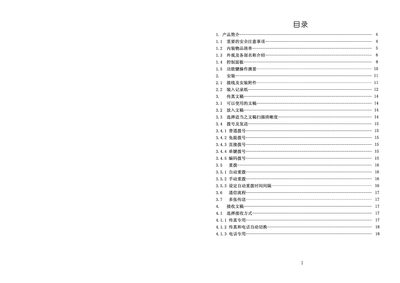
Photar FAX 3829 User Manual
This manual begins with important safety precautions, environmental limits, and recommended installation procedures for the Photar FAX 3829. It details the control panel layout, connection methods, and required power specifications.
Later sections cover daily operation, dialing and address book functions, printing and fax transmission settings, as well as common fault‑diagnosis steps and maintenance tips. This manual is written in Chinese.
Photar FAX 3829 specifications
| Transmission speed | 14.4 KBPS |
|---|---|
| Power supply | 220 V AC 2 A 50 Hz |
| Standby power consumption | 7 W |
| Dimensions | 395 mm × 300 mm × 165 mm |
| Weight | 3.5 kg |
Source: Photar FAX 3829 User Manual
All Photar FAX 3829 documents by type
Day-to-day operation, settings and troubleshooting. Start here if the product is already set up.
Questions answered in these manuals
How many single‑digit numbers can be stored in the address book?
The machine can store up to five single‑digit numbers (01‑05).
What is the standby power consumption of the fax machine?
The standby power consumption is 7 W.
What should I do if the fax machine shows a blank screen?
Power off the machine, disconnect the power cord, wait a moment, then reconnect and power it on again.