
Key facts
- Brand
- Onlogic
- Model
- Karbon 300
- Documents
- 4
- Languages
- EN
- Last added
- 2026-11-22
Start here
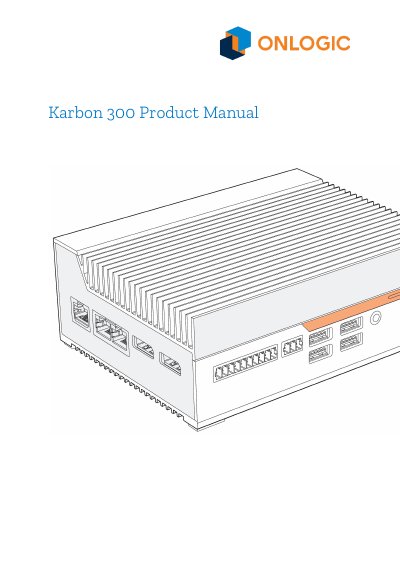
OnLogic Karbon 300 User Manual
This manual covers the Karbon 300 industrial computer’s system overview, I/O definitions, mounting instructions, and power management. It includes specifications for processors, memory, graphics, and connectivity options. The document also details the OnLogic Microcontroller (MCU) interface, CAN bus, DIO, and serial ports. Mounting options include wall, DIN rail, and VESA mounts. Power management features include wake-up events and protection circuitry for 9–36VDC input.
Read onlineOnLogic Karbon 300 specifications
| Processor | Intel Atom x5-E3930 Dual-core or Intel Atom x7-E3950 Quad-core |
|---|---|
| Memory | 4GB or 8GB Onboard LPDDR4 |
| Integrated Graphics | Intel HD Graphics 500 or 505 |
| Voltage Input | 9~36 VDC |
| Dimensions | 56 x 154 x 119 mm |
| Operating Temperature | -25°C ~ 70°C |
| Storage | M.2 2280 M-key (PCIe x2, SATA) |
| Expansion | Full-length mPCIe slot (PCIe, SATA); M.2 2230 E-key (PCIe, USB) |
| LAN | 3x GbE LAN; optional 2x PoE LAN (30W total) |
| Certifications | FCC 47 CFR Part 15, EN 55024, EN 55032, EN 62368-1, RoHS 2, WEEE |
| Special Features | OnLogic Microcontroller, onboard TPM 2.0, ignition power sensing, SuperCap RTC backup |
All OnLogic Karbon 300 documents by type
Day-to-day operation, settings and troubleshooting. Start here if the product is already set up.
Questions answered in these manuals
What mounting options does the Karbon 300 support?
The system supports wall mount (edge and bottom), DIN rail mount (edge and bottom), and VESA mount (bottom).
What is the Karbon 300 input voltage range?
The nominal input is 9~36 VDC, with undervoltage shutdown at 8.1V and overvoltage shutdown at 42.5V.
What voltage input does the Karbon 300 support?
The nominal operating voltage is 9~36 VDC.
What mounting options are available for the Karbon 300?
It supports wall mount, DIN Rail mount, and VESA mount.
What are the mounting options for the Karbon 300?
The Karbon 300 can be mounted via wall mount, DIN rail, or VESA mount.
What is the power input range for the Karbon 300?
The Karbon 300 accepts 9–36VDC input.