
Key facts
- Brand
- Nokia
- Model
- N97
- Category
- Smartphones
- Industry
- Electronics
- Documents
- 16
- Languages
- EN · FR · ZH · JA
- Last added
- 2012-06-04
Start here
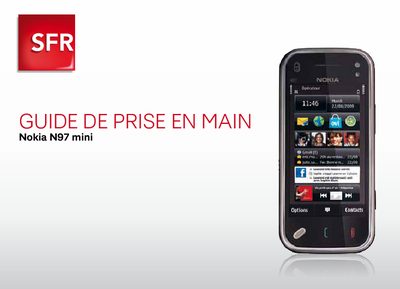
Nokia N97 mini Quick Start Guide
This guide provides step‑by‑step instructions for getting started with the Nokia N97 mini on the SFR network. It explains how to activate SFR Wi‑Fi, configure OVI Messaging, use OVI Maps, and access TV services.
Additional sections cover using the phone abroad, disabling data‑intensive services, and contacting SFR support. The document is written in French and is aimed at new users of the device.
Nokia N97 specifications
| Supported GSM bands | 850 / 900 / 1800 / 1900 MHz |
|---|---|
| Supported UMTS bands | 900 / 1900 / 2100 MHz |
| Water resistance | Not water‑resistant |
Source: Nokia N97 User Guide
All Nokia N97 documents by type
Day-to-day operation, settings and troubleshooting. Start here if the product is already set up.
- Nokia N97 mini User Guide 130 p
- Nokia N97 User Guide 156 p
- Nokia N97 User Guide 149 p
- Nokia N97 User Guide 174 p
- Truphone for Nokia User Manual 18 p
- Nokia N97 User Guide 149 p
- Nokia N97 mini User Manual 52 p
- Nokia N97 mini User Manual 153 p
- Nokia N97 User Manual 148 p
- Nokia N97 User Manual 152 p
- Nokia N97 mini User Manual 141 p
- Nokia N97 Phone User Guide 73 p
- Nokia N97 mini User Manual 3 p
- Nokia N97 mini User Manual 153 p
- Nokia N97 User Manual 152 p
The shortest path to a working setup, usually only a few pages.
Questions answered in these manuals
How do I make a voice call?
Select the voice call option from the keypad; see the "Make a voice call" entry.
How can I switch the device on or off?
Use the power button to turn the device on or off as described in the "Switch the device on or off" section.
Comment configurer mon compte OVI Messaging ?
From the home screen tap ‘Configurer email’, then choose ‘Commencer’ and finally tap ‘Demarrer’ to set up the OVI Messaging account.
Comment désactiver la connexion d’OVI Cartes ?
Open the home screen, go to ‘Internet’, select ‘Connexion’, and choose ‘Non’ to turn off OVI Cartes data connection.
How should I switch the device on safely?
Do not switch the device on when wireless phone use is prohibited or when it may cause interference or danger.
From: Nokia N97 User Guide
How do I insert the SIM card?
Insert the SIM card and battery as shown in the “Insert the SIM card and batte” section.
From: Nokia N97 User Guide