
Key facts
Start here
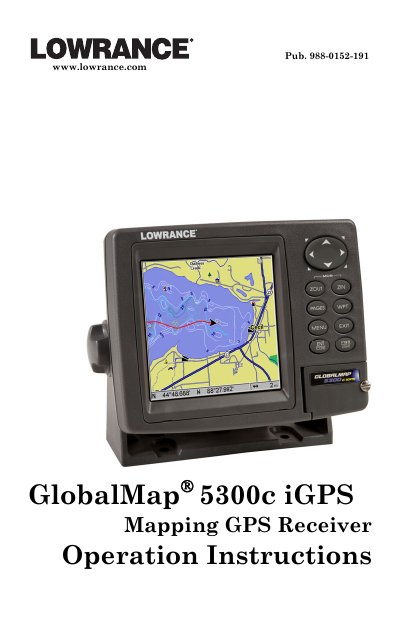
Lowrance GlobalMap 5300c iGPS Operation Instructions
This manual provides comprehensive operating instructions for the Lowrance GlobalMap 5300c iGPS mapping GPS receiver. It covers essential topics including installation, power connections, and mounting options. The guide details how to use the device for basic GPS navigation, such as finding your current position, navigating to waypoints, and utilizing map features like MapCreate and NauticPath charts.
Read onlineLowrance 5300c specifications
| Display | Color 5.0" (12.7 cm) diagonal; SolarMax™ TFT display |
|---|---|
| Resolution | 480 pixel x 480 pixel resolution |
| Input power | 10 to 15 volts DC |
| Case size | 5.4" H x 6.9" W x 3.4" D (13.8 x 17.6 x 8.6 cm) |
| Storage temperature | -20 degrees to +167 degrees Fahrenheit (-28 degrees to +75 degrees Celsius) |
Source: Lowrance GlobalMap 5300c iGPS Operation Instructions
All Lowrance 5300c documents by type
Day-to-day operation, settings and troubleshooting. Start here if the product is already set up.
Questions answered in these manuals
What is the storage and operation temperature range for the unit?
The unit operates and stores between -20°F to +167°F (-28°C to +75°C).
Does the unit support SD cards?
Yes, the unit has one MMC slot that is compatible with SD cards.
What is the product name and its stated use?
The product is the GlobalMap® 5300c iGPS, a mapping GPS receiver for navigation.
From: Lowrance GlobalMap 5300c iGPS Mapping GPS Receiver Operation Instructions
What is the storage and operation temperature range for the unit?
The unit can be stored or operated between -20 degrees to +167 degrees Fahrenheit (-28 degrees to +75 degrees Celsius).
From: Lowrance GlobalMap 5300c iGPS Mapping GPS Receiver Operation Instructions
What are the lakes that have depth contours in the GlobalMap 5300C iGPS?
Click here for a list of these lakes.
Can I mount this unit in-dash or flush into a panel?
No, the GPS receiver/antenna is located in the top of the unit.