
Key facts
Start here
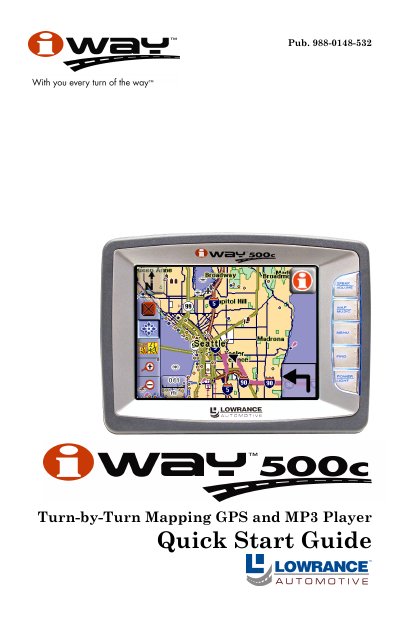
Lowrance iWAY 500C Turn-by-Turn Mapping GPS and MP3 Player Quick Start Guide
The Lowrance iWAY 500C is a turn-by-turn mapping GPS unit that also functions as an MP3 player. It features a pressure-sensitive touch screen controlled by five side buttons for power and mode switching between Map and Music modes.
In Map Mode, the device displays current position with a moving map, allowing users to drag maps, zoom in/out, and view route directions. In Music Mode, it plays MP3 and Ogg Vorbis files from a connected drive using play control buttons on the screen.
All iWAY 500C documents by type
Day-to-day operation, settings and troubleshooting. Start here if the product is already set up.
The shortest path to a working setup, usually only a few pages.
Mounting, wiring and first power-up. Read it before the hardware goes in.
Questions answered in these manuals
Can I operate the GPS unit while driving?
No, vehicle drivers should never attempt to configure, adjust or enter information into the GPS unit while driving.
What happens when Safety Mode is enabled?
The unit will navigate and play music while moving, but the keyboard and touch-screen buttons are temporarily disabled.
What music file formats can the iWAY 500C play?
The unit is capable of playing both MP3 and Ogg Vorbis music files.
From: Lowrance iWAY 500C Turn-by-Turn Mapping GPS and MP3 Player Quick Start Guide
How do I switch between Map Mode and Music Mode?
To change between these two main modes of operation, press the MAP/MUSIC button.
From: Lowrance iWAY 500C Turn-by-Turn Mapping GPS and MP3 Player Quick Start Guide
How do I remove the suction cup mount from a surface?
Pull on the suction release tab to break the vacuum seal.
From: Lowrance 500C Automotive GPS Receiver Mounting Instructions
What should I do if the suction cup does not stay on?
Clean the mounting surface and the suction cup with alcohol, then reinstall.
From: Lowrance 500C Automotive GPS Receiver Mounting Instructions