
This manual describes how to disable iWAY Safety Mode while the vehicle is in motion, so that a passenger can operate the device.
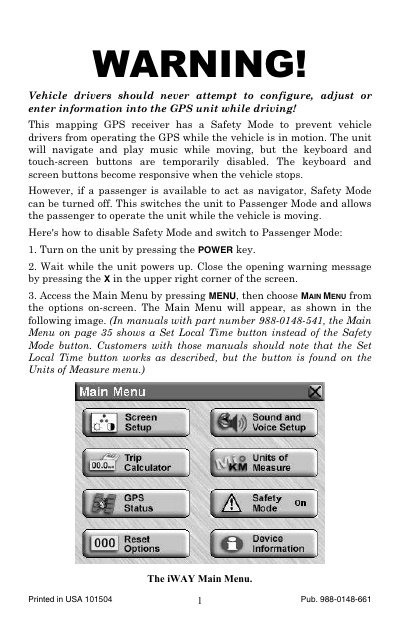
This manual describes the Safety Mode feature on the iWAY 500C GPS receiver, designed to prevent vehicle drivers from operating the unit while driving. When Safety Mode is active, the keyboard and touch-screen buttons are disabled, but navigation and music playback continue. If a passenger is available to act as a navigator, Safety Mode can be turned off to switch the unit to Passenger Mode, allowing the passenger to operate the device while the vehicle is in motion.
The document provides step-by-step instructions on how to disable Safety Mode via the Main Menu and how to re-enable it. It also includes a warning stating that vehicle operators are solely responsible for safe driving and must not attempt to configure or adjust the GPS unit while operating the vehicle.
No, vehicle drivers should never attempt to configure, adjust or enter information into the GPS unit while driving.
The unit will navigate and play music while moving, but the keyboard and touch-screen buttons are temporarily disabled.