
Key facts
- Brand
- Intermec
- Model
- CN3
- Category
- Other device
- Documents
- 3
- Languages
- ZH · EN
- Last added
- 2022-09-11
Start here
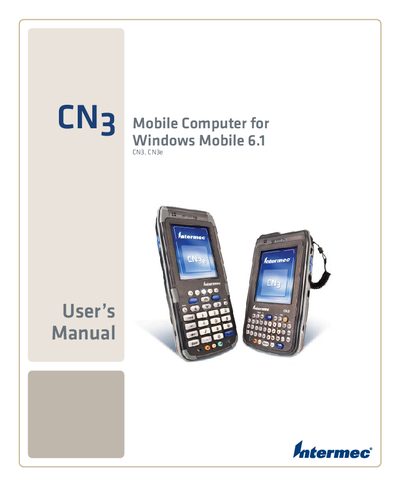
Intermec CN3 Mobile Computer User Manual for Windows Mobile 6.1
The CN3 is a rugged mobile computer from Intermec designed to run Windows Mobile 6.1. This manual provides the information needed to operate, configure, and service the device safely and efficiently.
It includes sections on battery handling, keypad use, wireless communications (Wi‑Fi, Bluetooth, Ethernet), GPS setup, barcode and imaging functions, application development, software upgrades, and troubleshooting. Reference tables list specifications and default settings for quick access.
Intermec CN3 specifications
| Water and Dust Resistance | IP54 |
|---|---|
| Drop Test Specification | 1.2m (4') 26 times |
| Standard Battery Capacity | 3.7V, 2200mAh |
| Extended Battery Capacity | 3.7V, 4000mAh |
| Operating System | Windows Mobile 5.0 |
| Processor | Intel XScale PXA270, 520MHz |
| RAM Memory | 128MB |
| Flash ROM | 128MB |
| Max SD Card Extension | 2GB |
Source: Intermec CN3 Handheld Mobile Computer Product Brochure
All Intermec CN3 documents by type
Day-to-day operation, settings and troubleshooting. Start here if the product is already set up.
Questions answered in these manuals
What connectivity options are included in the standard configuration?
The standard configuration includes Wi-Fi and Bluetooth.
From: Intermec CN3 Handheld Mobile Computer Product Brochure
What is the maximum capacity for memory card expansion?
Users can expand memory via a mini SD slot up to 2GB.
From: Intermec CN3 Handheld Mobile Computer Product Brochure
How can I configure Wi‑Fi on the CN3?
Use the "Configuring 802.11b/g Radio Communications" section of the manual.
From: Intermec CN3 Mobile Computer User Manual for Windows Mobile 6.1
How do I upgrade the CN3 system software?
Follow the "Upgrading the System Software" instructions.
From: Intermec CN3 Mobile Computer User Manual for Windows Mobile 6.1
How do you charge the CN3 battery?
Use an external charger that supplies 5 V ±5 % at up to 3.5 A (maximum 18 W).
What is the operating temperature range for the CN3?
The CN3 operates from –10 °C to 50 °C (14 °F to 122 °F).