
Key facts
- Brand
- icpdas
- Model
- GW-7472
- Category
- Other network devices
- Industry
- Industrial
- Documents
- 2
- Languages
- EN · ZH
- Last added
- 2026-11-11
Start here
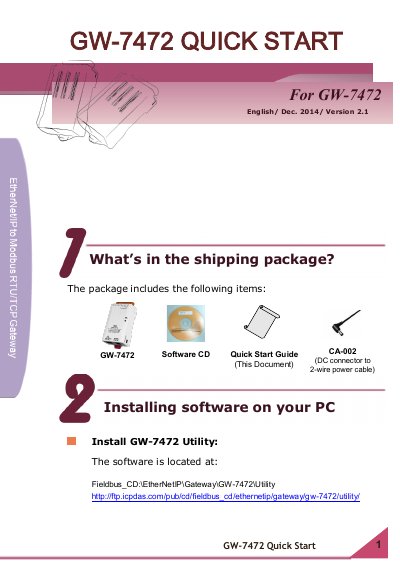
ICP DAS GW-7472 EtherNet/IP Gateway Quick Start Guide
This ICP DAS GW-7472 Quick Start Guide (English, December 2014, Version 2.1) opens with the shipping package contents: the GW-7472 module, the software CD and the CA-002 DC connector to 2-wire power cable. It explains where the GW-7472 Utility is stored on the Fieldbus CD and how to install it on a PC, then lists the preparation steps: have a working network setting, disable or configure the Windows firewall and anti-virus firewall, check the Init/Run DIP switch, and connect the GW-7472 and the computer to the same subnetwork or Ethernet switch before powering the module on.
The guide then walks through using the utility: clicking Network Scan to search for the GW-7472, and using the Configure or Diagnostic buttons to configure or test the module. Settings covered include Network Settings (address type, static IP address, subnet mask, default gateway), Modbus RTU port settings (baud rate, data sizes, parity, stop bits for the RS-485/RS-422 port), Modbus TCP server IP settings, setting file management, byte order setting and Modbus request command settings. A final section describes diagnostics items such as UCMM/Forward Open Class 3 behavior, Forward Open Class 1 behavior, response messages and Modbus TCP servers status, followed by links to the product page, documentation, utility and firmware.
ICP DAS GW-7472 specifications
| Default IP address (Init Mode) | 192.168.255.1 |
|---|---|
| Default gateway (Init Mode) | 192.168.0.1 |
| Default subnet mask (Init Mode) | 255.255.0.0 |
| Serial port | RS-485/RS-422 port |
| Included accessory | CA-002 (DC connector to 2-wire power cable) |
| Document version | Version 2.1, December 2014 |
Source: ICP DAS GW-7472 EtherNet/IP Gateway Quick Start Guide
All ICP DAS GW-7472 documents by type
The shortest path to a working setup, usually only a few pages.
Questions answered in these manuals
How do I search for the GW-7472 on the network?
Double click the GW-7472 Utility shortcut on the desktop and click the "Network Scan" button to search your GW-7472.
What is the default IP setting of the GW-7472 in Init mode?
In Init mode the settings are IP 192.168.255.1, gateway 192.168.0.1 and mask 255.255.0.0.
How do I search for the GW-7472 on the network?
Open the GW-7472 Utility from the desktop shortcut and click the Network Scan button to search for your GW-7472.
From: ICP DAS GW-7472 EtherNet/IP to Modbus Gateway Quick Start Guide
How do I save the module function settings after configuring?
After configuring, click the Update Settings button to complete the module function settings.
From: ICP DAS GW-7472 EtherNet/IP to Modbus Gateway Quick Start Guide