
Key facts
- Brand
- icpdas
- Model
- I-7188E
- Category
- Automation control Equipment
- Documents
- 2
- Languages
- EN
- Last added
- 2026-10-22
Start here
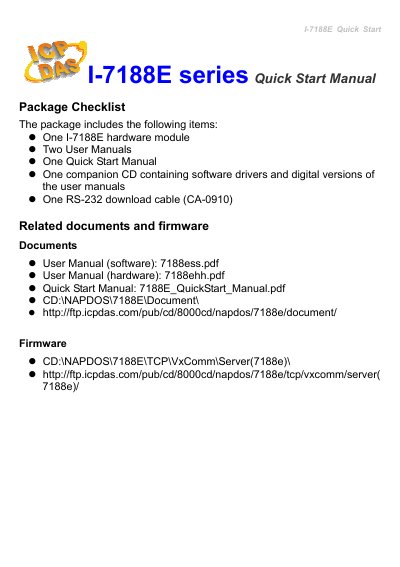
ICP DAS I-7188E Series Quick Start Manual
The package includes the I-7188E hardware module, two user manuals, a quick start manual, a companion CD with software drivers and documentation, and an RS-232 download cable (CA-0910). The module features an Ethernet port, COM1 (RS-232), COM2 (RS-485), a 5-digit 7-segment LED display, a system LED indicator, and a power connector accepting +10V to +30VDC.
Software installation involves installing the VxComm Utility and MiniOS7 Utility from the CD or the ICP DAS FTP site. After installation, the VxComm Utility is used to search for the module, configure Ethernet settings, add a server, and set up virtual COM ports. The VxComm firmware is then downloaded to the module using the MiniOS7 Utility. Technical support is available via email and the ICP DAS website.
ICP DAS I-7188E specifications
| Supported PLC Languages | Ladder Diagram (LD), Function Block Diagram (FBD), Sequential Function Chart (SFC), Structured Text (ST), Instruction List (IL), Flow Chart (FC) |
|---|---|
| Standard Compliance | IEC61131-3 |
| Communication Ports (I-84X7 / 88X7) | 4 communication ports |
| Modbus Network Capacity (COM2 on I-8x17) | up to 255 controllers |
| Data Storage (I-8xx7) | S256/S512 |
| Data Storage (I-7188EG/XG) | X607/X608 |
| Function Block Library | more than 60 standard blocks |
Source: ICP DAS ISaGRAF I-8417/8817/8437/8837, I-7188EG & I-7188XG User Manual
All ICP DAS I-7188E documents by type
Day-to-day operation, settings and troubleshooting. Start here if the product is already set up.
The shortest path to a working setup, usually only a few pages.
Questions answered in these manuals
What programming languages does ISaGRAF support?
ISaGRAF supports all five IEC61131-3 languages (Ladder Diagram, Function Block Diagram, Sequential Function Chart, Structured Text, and Instruction List) plus Flow Chart language.
From: ICP DAS ISaGRAF I-8417/8817/8437/8837, I-7188EG & I-7188XG User Manual
How can I use the I-8417/8817/8437/8837 controllers remotely?
You can remotely monitor and download data by dialing a phone call from your PC to the controller via COM4, which supports full modem signals and the Modem_Link protocol.
From: ICP DAS ISaGRAF I-8417/8817/8437/8837, I-7188EG & I-7188XG User Manual
What is the default IP address of the I-7188E?
The default IP address is 192.168.255.1.
What is the power supply voltage range for the I-7188E?
The power supply voltage (Vs+) can range from +10V to +30VDC.